
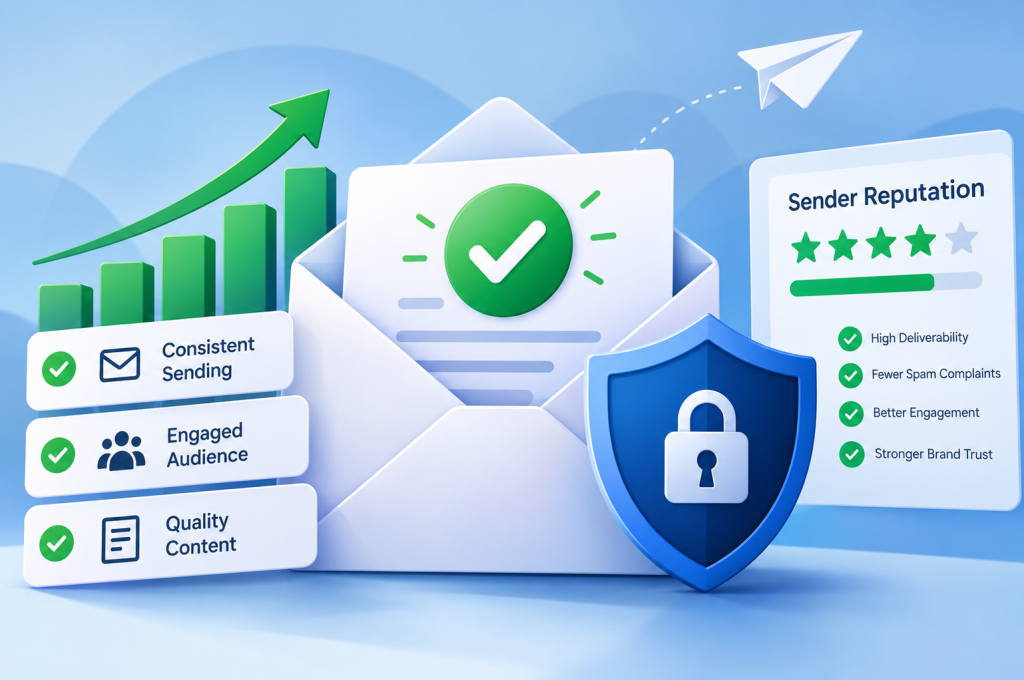
Your email campaign is ready. The subject line is compelling, the content is polished, and your subscriber list is waiting. You hit send, expecting a healthy stream of opens, clicks and enquiries.
Instead, silence.
Your carefully crafted emails are disappearing into spam folders, being rejected by mail servers or never reaching the people who signed up to receive them.
The culprit? Your sender reputation might be letting you down.
Email sender reputation is one of the most important factors influencing email deliverability. It affects whether your messages reach the inbox, land in junk folders or get blocked altogether. And while building a positive reputation takes time, damaging it can happen surprisingly quickly.
The good news is that sender reputation isn’t entirely outside your control. With the right email authentication, subscriber management and sending practices, you can establish trust with mailbox providers and protect it over the long term.
Key Takeaways: Building and Protecting Sender Reputation
A strong email reputation starts with proving you’re a legitimate sender and consistently delivering messages people actually want to receive.
Here’s what matters most:
- Authenticate your sending domain. Configure SPF, DKIM and DMARC to help mailbox providers verify your emails and protect your domain against spoofing.
- Build a permission-based email list. Only contact people who have genuinely agreed to receive your communications. Double opt-in provides additional confirmation.
- Keep your subscriber database clean. Remove invalid addresses, manage hard bounces and regularly review inactive subscribers.
- Maintain consistent sending habits. Avoid sudden increases in email volume, particularly when using a new domain or dedicated IP address.
- Monitor spam complaints and engagement. High complaint rates and poor subscriber engagement can indicate problems with your content, targeting or sending practices.
- Make unsubscribing straightforward. Give recipients a simple way to leave your mailing list rather than encouraging them to report your messages as spam.
- Track your reputation continuously. Use tools such as Google Postmaster Tools, email deliverability reports and blocklist monitoring services to identify potential problems.
- Act quickly when performance deteriorates. Investigating authentication failures, rising bounce rates and delivery errors early can prevent more serious reputation damage.
The golden rule: A good sender reputation isn’t earned by sending more emails. It’s earned by consistently sending wanted, authenticated emails to the right people.
Whether you’re launching your first newsletter, managing an established email marketing programme or recovering from deliverability problems, understanding how email reputation works is the first step towards protecting your campaigns.
What Is Email Sender Reputation?
Email sender reputation is the level of trust that mailbox providers associate with your sending domain, IP address and email activity.
Think of it as your business’s digital credibility when communicating through email.
When you send a message, providers such as Gmail, Outlook and Yahoo assess numerous signals to help determine whether it deserves a place in the recipient’s inbox.
They consider factors such as:
- Whether your sending domain is properly authenticated.
- How frequently recipients report your emails as spam.
- Whether you’re sending to invalid or outdated email addresses.
- The history and behaviour associated with your sending IP address.
- How recipients interact with your messages.
- Whether your sending patterns resemble legitimate communication or suspicious activity.
These signals contribute to a broader assessment of your trustworthiness.
A positive sender reputation makes successful inbox placement more likely. A poor reputation increases the risk of spam filtering, temporary delivery restrictions and outright rejection.
However, there’s an important distinction worth understanding.
Sender reputation isn’t one universal score shared by every email provider.
Different mailbox providers use their own systems, signals and filtering decisions. A sender might enjoy excellent deliverability to one provider while experiencing problems with another.
Third-party reputation services can offer useful indicators, but no single email sender reputation score tells the complete story.
Domain Reputation vs IP Reputation: What’s the Difference?
Two important components of sender reputation management are domain reputation and IP reputation.
Although they’re closely related, they measure different aspects of your email sending activity.
| Reputation type | What it measures | Why it matters |
|---|---|---|
| Domain reputation | The trust associated with the domain used to send and authenticate emails. | Helps mailbox providers assess the credibility of your sending identity. |
| IP reputation | The sending history and behaviour associated with an IP address. | Can influence filtering decisions based on previous traffic from that IP. |
| Overall sender reputation | A broader combination of authentication, sending behaviour, complaints and other signals. | Influences whether messages are accepted and where they are placed. |
Domain Reputation
Your domain reputation reflects how trustworthy mailbox providers consider your sending domain.
For example, if your business consistently sends authenticated emails to engaged subscribers, that positive history can help establish credibility.
Conversely, if your domain becomes associated with spam complaints, unsolicited campaigns or suspicious sending activity, its reputation may suffer.
Domain reputation is particularly important because it can remain relevant even when you change email service providers or sending IP addresses.
A new email platform won’t necessarily erase an established history of poor sending behaviour.
This is why protecting your domain should be treated as an ongoing business responsibility, not simply a technical task.
IP Reputation
Every email originates from infrastructure associated with an IP address.
Mailbox providers can evaluate the history of that address, including the volume and characteristics of previous messages.
There are two common sending arrangements:
- Shared IP addresses: Multiple senders use the same sending infrastructure. The provider manages the shared environment, but other senders’ behaviour can potentially affect its reputation.
- Dedicated IP addresses: An IP address is assigned to a particular sender, giving that sender greater control over its sending history and reputation.
A dedicated IP isn’t automatically better.
For businesses sending relatively small or irregular volumes, a reputable shared IP environment may offer more reliable results than a dedicated IP without sufficient consistent sending history.
The right choice depends on your email volume, sending frequency and the capabilities of your email service provider.
Why Both Types of Reputation Matter
Imagine your sending domain has an excellent reputation, but the IP address delivering your emails has recently been associated with abusive traffic.
Your messages could still encounter filtering problems.
Now reverse the situation.
Your sending IP has a strong history, but your domain repeatedly generates spam complaints.
Again, deliverability can suffer.
Strong email deliverability requires a trustworthy sending identity, reliable infrastructure and responsible sending behaviour working together.
Neither domain reputation nor IP reputation should be considered in isolation.
Why Sender Reputation Matters for Email Deliverability
You can invest considerable time and money into building an email list, writing persuasive content and designing attractive campaigns.
But none of that matters if subscribers never see your messages.
That’s where sender reputation becomes commercially important.
Email deliverability refers to your ability to get messages successfully delivered to recipients, particularly into their inboxes rather than spam folders.
It isn’t quite the same as the email delivery rate.
An email can be accepted by a receiving mail server and still end up in the spam folder.
This distinction matters when interpreting campaign results.
Email Delivery vs Inbox Placement
Consider a campaign sent to 10,000 subscribers.
Your email platform reports that 9,800 messages were successfully delivered.
At first glance, that looks excellent.
But suppose a significant proportion of those messages landed in spam folders.
Your reported delivery rate might still be 98%, while your actual inbox visibility is considerably lower.
| Metric | What it tells you |
|---|---|
| Email delivery rate | The percentage of sent emails accepted by receiving mail servers. |
| Inbox placement rate | The percentage of emails reaching recipients’ inboxes rather than spam folders or other filtered destinations. |
| Bounce rate | The percentage of messages that could not be delivered successfully. |
| Spam complaint rate | The proportion of recipients reporting your messages as spam, according to the measurement system being used. |
| Click-through rate | How frequently recipients click links within your emails. |
These metrics tell different parts of the same story.
A high delivery rate is encouraging, but it doesn’t guarantee that your emails are being seen.
Likewise, a declining click-through rate might indicate weaker content, poor audience targeting or an underlying deliverability issue.
It’s important to interpret the data together rather than relying on one metric.
The Commercial Cost of Poor Sender Reputation
Poor email reputation can affect far more than campaign statistics.
For businesses that rely on email to generate enquiries, nurture leads and maintain customer relationships, deliverability problems can directly undermine marketing performance.
Potential consequences include:
- Fewer enquiries and conversions: Promotional messages may never reach interested prospects.
- Wasted marketing expenditure: Time and resources spent acquiring subscribers deliver less value when those contacts cannot be reached effectively.
- Lower customer engagement: Subscribers who rarely see your emails have fewer opportunities to interact with your brand.
- Missed transactional communications: Important order confirmations, account notifications and other service messages may be delayed or filtered.
- Reduced campaign efficiency: More effort is required to generate the same commercial results.
- Longer recovery periods: Serious reputation problems may take sustained corrective action to resolve.
This also highlights why email marketing shouldn’t operate separately from your wider digital strategy.
A business might attract valuable visitors through search engine optimisation, encourage them to subscribe and then lose opportunities because its emails fail to reach their inboxes.
The original acquisition effort hasn’t necessarily failed. The communication process that follows it has.
Protecting sender reputation helps preserve the value of the audience you’ve already worked to build.
What Factors Affect Your Email Sender Reputation?
Mailbox providers don’t judge senders based on one isolated characteristic.
Instead, they evaluate a combination of technical, behavioural and historical signals.
Some are directly within your control. Others depend on how recipients respond to your emails.
Understanding these sender reputation factors helps you identify where improvements will have the greatest impact.
1. Spam Complaints
Spam complaints are among the clearest warning signs that recipients aren’t happy with your emails.
When someone clicks ‘Report spam’, they’re telling their mailbox provider that they don’t want to receive that type of message.
A small number of complaints can occur even with legitimate, permission-based campaigns.
However, consistently elevated complaint rates can indicate deeper problems.
Common causes include:
- Sending emails without clear subscriber consent.
- Contacting people who no longer recognise your brand.
- Sending too frequently.
- Using misleading subject lines.
- Delivering content that doesn’t match subscriber expectations.
- Making the unsubscribe process unnecessarily difficult.
Mailbox providers may use complaint behaviour when evaluating future messages from your domain or IP address.
That’s why spam complaint prevention is more effective than trying to repair the damage afterwards.
The simplest starting point is to ensure recipients know who you are, understand why they’re receiving your emails and can easily opt out.
2. Email Bounce Rates
An email bounce occurs when a message cannot be delivered successfully.
Not all bounces mean the same thing.
Hard bounces generally indicate permanent delivery failures, such as an email address that doesn’t exist.
Soft bounces usually indicate temporary problems, such as a receiving server being unavailable or temporarily refusing a message.
Repeated delivery attempts to invalid addresses can suggest poor email list hygiene.
That creates unnecessary traffic and can contribute to reputation problems.
A healthy mailing list should therefore include procedures for:
- Automatically suppressing addresses that generate confirmed hard bounces.
- Monitoring recurring temporary delivery failures.
- Investigating unusual increases in bounce rates.
- Validating addresses where appropriate.
- Avoiding old, purchased or unverified contact databases.
Not every bounce indicates a reputation problem, but persistent or unusual patterns deserve attention.
3. Subscriber Engagement
Mailbox providers may consider how recipients interact with incoming messages when assessing relevance and trust.
Engagement signals can include whether people read, respond to, delete or report messages, although the signals and weighting vary between providers.
From a marketing perspective, engagement also helps you understand whether your audience genuinely values your communications.
Useful performance indicators include click-through rates, conversions, replies and unsubscribe trends.
Open rates can still provide directional information, but they should be treated cautiously.
Features such as Apple Mail Privacy Protection can affect open tracking, making it less reliable as a standalone measure of genuine reader interest.
Rather than chasing impressive-looking open rates, focus on meaningful subscriber activity.
Are people clicking through to your website?
Are they responding to your offers?
Are they taking the actions your campaigns are designed to encourage?
A smaller, engaged audience is often more valuable than a large database of uninterested contacts.
4. Email Authentication
Email authentication helps receiving servers verify that messages are legitimately associated with the domains they claim to represent.
Three important technologies are:
- SPF (Sender Policy Framework): Specifies which sending systems are authorised to send email for a domain.
- DKIM (DomainKeys Identified Mail): Uses cryptographic signatures to help verify message authenticity and integrity.
- DMARC (Domain-based Message Authentication, Reporting and Conformance): Builds on SPF and DKIM to establish domain alignment requirements, reporting and policies for handling authentication failures.
These technologies are foundational to modern email security and deliverability.
Without appropriate authentication, legitimate messages may be harder for receiving providers to trust.
Your domain may also be more vulnerable to certain forms of email spoofing.
Authentication doesn’t guarantee inbox placement, but it establishes an essential technical foundation for maintaining a good sender reputation.
5. Sending Volume and Consistency
Mailbox providers can evaluate sending patterns when identifying unusual or potentially abusive activity.
For example, a domain that normally sends a few hundred messages each week might attract additional scrutiny if it suddenly begins sending tens of thousands.
A dramatic increase isn’t automatically evidence of spam.
However, abrupt changes can create deliverability challenges, particularly for new domains or dedicated IP addresses without an established sending history.
Consistency helps establish predictable sending behaviour.
This is why gradual email warm-up, sensible sending frequency and careful volume management are important email deliverability best practices.
The objective isn’t to send exactly the same number of messages every day.
It’s to grow your sending activity responsibly while monitoring how receiving systems respond.
6. Email List Quality and Spam Traps
Not every email address in your database represents a genuine, interested subscriber.
Some addresses may have been entered incorrectly. Others might belong to people who haven’t interacted with your business for years.
And some could be spam traps.
Spam traps are email addresses used by mailbox providers and anti-spam organisations to identify potentially problematic sending practices.
They can reveal whether senders are collecting addresses without permission, neglecting list maintenance or continuing to contact outdated databases.
Common types include:
- Pristine spam traps: Addresses created specifically to identify unsolicited email. They haven’t been used for legitimate subscriptions.
- Recycled spam traps: Previously legitimate addresses that have become inactive and may eventually be repurposed to detect poor list hygiene.
- Typo traps: Addresses associated with common domain spelling mistakes, which can expose weaknesses in address collection and validation.
Sending to spam traps can damage your IP reputation, domain reputation and overall email credibility.
The risk becomes particularly significant when businesses purchase contact lists or import databases without checking their origins.
A large mailing list might look impressive on paper. But if thousands of contacts are invalid, inactive or uninterested, its commercial value could be surprisingly low.
Quality matters more than quantity.
Regular email list cleaning, permission-based subscriber acquisition and responsible suppression practices help reduce these risks.
7. Email Content and Recipient Expectations
There’s a persistent misconception that avoiding certain words is enough to prevent emails from landing in spam.
In reality, modern spam filtering is considerably more sophisticated.
Mailbox providers evaluate multiple signals, including authentication, sending behaviour, message characteristics and recipient feedback.
That doesn’t mean your email content is irrelevant.
Misleading subject lines, suspicious links, deceptive formatting and messages that don’t match subscriber expectations can all create problems.
Consider two subject lines:
“Your Account Has Been Suspended — Act Immediately!”
“Your October Account Update and Important Information”
The first creates urgency and implies a serious problem. If that claim is misleading, recipients may feel manipulated and report the message.
The second communicates its purpose more transparently.
Neither subject line guarantees inbox placement, but honest communication helps establish trust with subscribers.
When reviewing email content quality, consider the following:
- Does the subject line accurately represent the message?
- Will recipients immediately recognise the sender?
- Is the content relevant to the audience receiving it?
- Are links legitimate, functional and consistent with your brand?
- Does the email display properly on mobile devices?
- Is the unsubscribe option easy to find?
- Does the message deliver the value subscribers originally expected?
Good content isn’t simply about avoiding spam filters.
It’s about giving people a reason to welcome your next email.
How to Build a Strong Email Sender Reputation
Building a positive email reputation requires more than configuring a few technical settings and hoping for the best.
It’s a combination of authentication, audience quality, consistent sending behaviour and ongoing performance monitoring.
Whether you’re starting with a new domain or improving an existing email programme, the following steps provide a practical foundation.
Step 1: Authenticate Your Emails With SPF, DKIM and DMARC
Before concentrating on subject lines, campaign frequency or conversion rates, make sure your sending domain is properly authenticated.
Email authentication helps receiving mailbox providers establish whether messages are legitimately associated with your domain.
It’s also an important defence against email spoofing, where attackers attempt to impersonate a trusted sender.
Three technologies form the foundation of this process.
SPF: Authorise Your Sending Infrastructure
Sender Policy Framework (SPF) allows domain owners to publish information about the servers authorised to send email on behalf of their domain.
This information is stored in the domain’s DNS records.
When an email arrives, the receiving system can check whether the relevant sending server is authorised by the SPF policy.
For example, if your business uses an email marketing platform alongside a separate service for transactional emails, your SPF configuration may need to account for the appropriate sending infrastructure.
However, SPF has an important limitation.
It authenticates the SMTP envelope sender domain rather than automatically verifying the address recipients see in the From field.
That’s why SPF should be used alongside DKIM and DMARC rather than treated as a complete solution.
Practical advice: Review your SPF record whenever you add, remove or change email service providers. Incorrect or outdated configurations can cause legitimate messages to fail authentication.
DKIM: Verify Message Authenticity
DomainKeys Identified Mail (DKIM) adds a cryptographic signature to outgoing messages.
Receiving servers can use the corresponding public key published in DNS to verify that the signature is valid and that signed message content hasn’t been altered in transit.
This provides an additional layer of trust.
For businesses using several email platforms, DKIM configuration should be checked individually for each relevant service.
A marketing platform might be correctly configured while another system sending invoices or account notifications is not.
That inconsistency can create avoidable authentication failures.
DMARC: Protect Your Domain Against Impersonation
DMARC builds on SPF and DKIM by checking whether an authenticated domain aligns with the domain visible in the email’s From address.
It also allows domain owners to publish a policy describing how receivers should handle messages that fail DMARC authentication.
Common DMARC policy settings include:
| DMARC policy | Purpose |
|---|---|
p=none | Requests monitoring without asking receivers to quarantine or reject failing messages. |
p=quarantine | Requests that failing messages receive suspicious treatment, such as spam-folder placement. |
p=reject | Requests that failing messages be rejected. |
DMARC also supports reporting, allowing domain owners to gain visibility into systems sending email using their domains.
These reports can help identify unauthorised sending sources and configuration problems.
However, moving directly to a strict enforcement policy without checking legitimate email sources can cause disruption.
A safer implementation process is to:
- Identify every legitimate system sending email for your domain.
- Configure SPF and DKIM appropriately.
- Publish a DMARC monitoring policy.
- Review authentication reports and resolve failures.
- Progress towards stronger enforcement when legitimate traffic is correctly authenticated.
Important: SPF, DKIM and DMARC work together, but they perform different functions. Correct authentication improves the technical trustworthiness of your emails; it doesn’t automatically compensate for poor list quality or unwanted messages.
Don’t Overlook Domain Alignment
Domain alignment is particularly important when using third-party email marketing platforms.
Your visible From domain should align with a domain authenticated through SPF or DKIM for DMARC to pass.
Without alignment, messages may pass individual authentication checks while still failing DMARC.
This is one reason businesses should verify their complete email authentication configuration rather than checking only whether SPF or DKIM records exist.
For higher-volume senders, correct authentication and alignment also help meet important mailbox-provider requirements.
Step 2: Build a Permission-Based Email List
You cannot build a trustworthy sender reputation on an audience that never asked to hear from you.
Permission-based email marketing means collecting addresses from people who have knowingly agreed to receive your communications.
This creates a stronger foundation for subscriber engagement, lower complaint rates and sustainable email deliverability.
Consider the difference between these approaches.
Approach A: A business purchases a database of 20,000 email addresses and begins sending promotional campaigns immediately.
Approach B: A business gradually builds a list of 3,000 subscribers who have actively signed up to receive relevant information.
The larger database might appear more attractive.
But the smaller list has a significant advantage: its subscribers have demonstrated an interest in hearing from the business.
That doesn’t guarantee every message will reach the inbox, but it reduces many of the risks associated with unsolicited campaigns.
Use Clear and Honest Subscription Forms
When someone joins your mailing list, they should understand what they’re signing up for.
A good subscription form communicates:
- Who will be sending the emails.
- What type of content subscribers can expect.
- Whether messages will include promotional offers.
- How frequently communications are likely to arrive.
- How subscribers can withdraw their consent or unsubscribe.
Avoid pre-ticked marketing consent boxes or wording that disguises promotional subscriptions as something else.
For UK businesses, email marketing practices should also take account of applicable UK GDPR and Privacy and Electronic Communications Regulations (PECR) requirements.
Consent requirements can depend on the recipient and circumstances, including whether the limited existing-customer soft opt-in exception applies.
The important principle is straightforward: people should have a legitimate reason to expect your emails.
Consider Double Opt-In
Double opt-in adds an extra confirmation stage to the subscription process.
Instead of adding someone directly to your active mailing list, you send a confirmation email asking them to verify their address and subscription.
The process typically looks like this:
- A visitor enters their email address into a subscription form.
- Your system sends a confirmation message.
- The visitor clicks a verification link.
- Their subscription becomes active.
- They begin receiving the communications they requested.
This helps confirm that the address is accessible and that the person completing the confirmation wants to subscribe.
It can also reduce accidental sign-ups, typing errors and some forms of automated list contamination.
Double opt-in isn’t universally mandatory, but it’s a valuable practice for businesses prioritising list quality and sender reputation protection.
Never Buy Email Lists
Purchased email lists introduce risks that are difficult to control.
You may not know where the addresses came from, whether recipients gave appropriate permission or how frequently the database has been sold to other organisations.
Potential problems include:
- High spam complaint rates.
- Invalid and abandoned email addresses.
- Spam trap exposure.
- Poor subscriber engagement.
- Compliance concerns.
- Damage to domain and IP reputation.
Even if a list is advertised as verified, that doesn’t establish that recipients want to hear from your business.
An email address being technically valid is not the same as having permission to contact its owner.
A sustainable subscriber acquisition strategy takes longer, but it creates a much stronger foundation for long-term email marketing performance.
Step 3: Warm Up New Sending Domains and IP Addresses
Imagine a business launches a new sending domain on Monday.
By Tuesday morning, it has sent 100,000 promotional emails.
Even if those messages are legitimate, the sudden activity may create difficulties.
Mailbox providers have limited sending history available to evaluate the new identity.
They may respond cautiously, particularly when traffic increases rapidly or recipient engagement is uncertain.
This is where email warm-up becomes important.
Email warm-up is the process of gradually establishing sending history by increasing legitimate email volume while monitoring delivery performance.
The objective is to build a consistent, trustworthy sending pattern rather than introducing large volumes immediately.
How IP Warming Works
IP warming is particularly relevant when introducing a new dedicated IP address.
Instead of sending your entire campaign volume immediately, you begin with a smaller number of messages and increase gradually.
For example, a business might initially send to a limited group of established subscribers who regularly interact with its emails.
As delivery performance remains healthy, it can expand its sending volume.
The appropriate schedule depends on factors such as:
- Expected daily and weekly email volume.
- The age and history of the sending domain.
- Whether the IP address is new or previously used.
- The quality of the subscriber list.
- Mailbox-provider responses.
- Spam complaints, bounces and delivery deferrals.
There isn’t one universal warming schedule that works for every sender.
A business sending 2,000 messages per month has different requirements from one sending several million.
Your email service provider may offer recommended warm-up procedures based on your infrastructure and expected traffic.
Domain Warm-Up Matters Too
A new domain or subdomain may also need time to establish a positive sending history.
Even if you’re using an established email platform, a newly introduced sending identity may not have the same reputation as a domain with years of legitimate activity.
For this reason, domain warm-up should be considered alongside IP warming.
A sensible approach is to start with subscribers who have recently demonstrated genuine interest, maintain consistent volumes and expand cautiously.
Avoid trying to manufacture engagement through artificial activity.
The goal is to establish a legitimate sending history supported by real subscriber behaviour.
Watch for Warning Signs During Warm-Up
As sending volume increases, monitor:
- Hard and soft bounce rates.
- Spam complaint rates.
- Temporary SMTP delivery failures.
- Repeated delivery deferrals.
- Authentication failures.
- Changes in engagement and inbox placement.
If problems appear, investigate before increasing volume further.
Continuing to accelerate sending while receiving systems are rejecting or deferring messages can make an existing problem worse.
The purpose of warming isn’t simply to reach your target volume quickly. It’s to reach that volume without undermining your reputation.
Step 4: Maintain Consistent Sending Frequency
Sending consistency matters long after the initial warm-up period.
Subscribers develop expectations about how often they’ll hear from your business.
Mailbox providers can also observe changes in sending behaviour.
If your normal schedule involves one newsletter each fortnight, suddenly sending several promotional messages every day may produce unwanted consequences.
Recipients could become frustrated, engagement may decline and spam complaints might increase.
On the other hand, disappearing for six months and then sending an unexpected campaign to your entire historical database can create problems of its own.
Some subscribers may no longer recognise your brand.
Others may have abandoned their email addresses or forgotten they subscribed.
Find a Sustainable Email Sending Cadence
There’s no universally perfect sending frequency.
The right cadence depends on your audience, industry, content and subscriber expectations.
A useful approach is to:
- Establish a realistic publishing schedule.
- Communicate expectations during sign-up.
- Segment subscribers according to interests and engagement.
- Monitor clicks, conversions, complaints and unsubscribes.
- Adjust frequency based on meaningful performance trends.
Consistency doesn’t mean rigidity.
Seasonal campaigns, product launches and important business announcements may justify changes.
However, those changes should be intentional rather than driven by the temptation to send more messages simply because you have a mailing list.
Avoid Sudden Email Volume Spikes
Unexpected volume spikes can be particularly problematic when combined with poor list hygiene.
For example, a business might decide to reactivate every contact it has collected over the previous five years.
That creates two simultaneous risks.
First, sending volume increases sharply.
Second, a significant proportion of the recipients may be inactive, invalid or unfamiliar with the sender.
A better approach is to review the database first, suppress unsuitable contacts and develop a carefully controlled re-engagement strategy where appropriate.
Sending fewer emails to the right people can produce better results than sending thousands of additional messages to an audience that has lost interest.
Step 5: Send Relevant Content That Encourages Genuine Engagement
Technical authentication helps establish that your emails are legitimate.
But subscribers still need a reason to care.
This is where content quality, personalisation and audience segmentation become essential.
If every subscriber receives identical messages regardless of their interests, some will inevitably find the content irrelevant.
Over time, that can lead to declining engagement, more unsubscribes and potentially higher complaint rates.
Segment Your Email Audience
Email segmentation involves dividing subscribers into meaningful groups based on relevant characteristics or behaviour.
Examples include:
- New subscribers who have recently joined your list.
- Existing customers.
- Prospects interested in particular services.
- Subscribers who regularly click campaign links.
- Contacts who haven’t engaged for an extended period.
- Customers with specific purchase or enquiry histories.
Segmentation allows you to tailor messages to the people most likely to find them useful.
For example, someone who has recently requested information about a service may benefit from educational follow-up emails.
An existing customer might be more interested in practical guidance, updates or complementary services.
Sending the same aggressive promotional message to both audiences could be less effective.
Personalisation Goes Beyond First Names
Adding a subscriber’s first name to an email subject line is a basic form of personalisation.
But genuine relevance goes much further.
Effective personalisation considers what the recipient needs, what they’ve shown interest in and where they are in their relationship with your business.
That might mean:
- Sending helpful introductory information to new subscribers.
- Providing educational content before presenting a sales offer.
- Recommending relevant services based on expressed interests.
- Adjusting campaign frequency according to subscriber preferences.
- Avoiding repeated promotions to people who have already converted.
The objective is to make every message feel purposeful.
Match Your Emails to the Customer Journey
Email marketing works best when it supports the wider experience people have with your business.
A prospect might discover your brand through search, browse your website, subscribe to useful updates and eventually make an enquiry.
Each stage should feel connected.
A professionally planned website design can support that journey through clear subscription forms, relevant landing pages and a consistent experience between the email and the destination page.
When someone clicks an email promising a particular resource or offer, the page they reach should deliver exactly what was advertised.
That consistency helps build customer trust and encourages meaningful engagement.
Remember: The strongest email campaigns don’t merely persuade people to open a message. They fulfil the expectation created by the subject line and give subscribers something worthwhile in return for their attention.
Step 6: Separate Marketing and Transactional Email Traffic
Not all business emails serve the same purpose.
Marketing emails might include newsletters, promotional offers, announcements and lead-nurturing campaigns.
Transactional emails are typically triggered by specific actions or events, such as purchases, password resets, account activity or service notifications.
These messages have different sending patterns, levels of urgency and recipient expectations.
Combining all traffic without a clear strategy can make deliverability management more difficult.
Why Separation Can Help
Imagine your business sends a large promotional campaign that generates an unexpected number of spam complaints.
At the same time, customers are waiting for order confirmations and password-reset emails.
If both message types rely on identical sending infrastructure and reputation signals, problems associated with one traffic stream may affect the other.
Separating traffic can help reduce that risk.
Common approaches include using different authenticated subdomains, distinct sending configurations and, where appropriate, separate IP pools.
For example:
| Email purpose | Illustrative sending subdomain |
|---|---|
| Marketing campaigns | news.example.com |
| Transactional notifications | mail.example.com |
| Account communications | accounts.example.com |
These are illustrative configurations, not mandatory naming conventions.
The most appropriate setup depends on your email platform and technical infrastructure.
Subdomain Separation Isn’t Complete Reputation Isolation
Using separate subdomains can improve organisation and allow more targeted monitoring.
However, it doesn’t guarantee that mailbox providers will treat every subdomain as completely independent.
Some reputation signals may be associated with the broader organisational domain or other shared infrastructure.
That’s why separation should complement responsible sending practices, not replace them.
A sensible strategy includes:
- Authenticating each sending identity correctly.
- Keeping promotional and essential service messages clearly distinguished.
- Monitoring delivery performance for each traffic stream.
- Avoiding unnecessary marketing content in critical transactional emails.
- Ensuring unsubscribe requirements are handled appropriately for the type of message being sent.
Protecting transactional email delivery is particularly important because customers may rely on these messages to access services, complete purchases or manage their accounts.
How to Protect Your Sender Reputation Over Time
Building a positive sender reputation is only half the challenge.
Maintaining it requires ongoing attention.
A domain with an established history of successful email delivery can still experience problems if sending practices deteriorate.
Subscriber lists age. Customer interests change. Email addresses become invalid. New marketing platforms are introduced, and authentication settings occasionally break.
Even successful campaigns can create problems if businesses become complacent about list quality and recipient expectations.
Protecting your sender reputation means identifying these risks early and preventing small issues from becoming widespread deliverability failures.
The next priorities are maintaining clean subscriber data, managing spam complaints and bounces, preventing blocklist problems, and continuously monitoring the signals that influence inbox placement.
Step 7: Maintain Excellent Email List Hygiene
Your subscriber list isn’t a permanent collection of reliable email addresses.
People change jobs, abandon accounts, switch email providers and lose interest in businesses they once followed.
Over time, even a carefully built mailing list can accumulate outdated contacts.
If you continue sending to every address indefinitely, you’re increasing the risk of hard bounces, spam complaints and poor engagement.
Email list hygiene is the ongoing process of maintaining accurate, permission-based and engaged subscriber data.
It’s one of the most effective ways to protect sender reputation without reducing the quality of your marketing.
Identify and Remove Invalid Email Addresses
Invalid addresses can enter your database for several reasons.
Someone might accidentally type gmal.com instead of gmail.com. An employee might leave a company, causing their work email address to become inactive. A previously valid domain might stop accepting messages.
Sending repeatedly to these addresses creates unnecessary delivery failures.
A sensible list maintenance process should include:
- Validate new addresses. Use appropriate form validation and, where useful, email verification services to identify obvious errors.
- Suppress confirmed hard bounces. Prevent repeated delivery attempts to addresses that have permanently failed.
- Investigate recurring soft bounces. Temporary failures don’t always justify immediate removal, but persistent problems require attention.
- Review imported contacts. Check the origin, permission status and quality of any database before adding it to your email platform.
- Monitor list deterioration. Look for unusual increases in delivery failures following particular campaigns or imports.
Email verification tools can help identify invalid or potentially risky addresses, but they cannot guarantee that every verified address belongs to someone who wants your messages.
Verification should support permission-based marketing, not replace it.
Manage Inactive Subscribers Carefully
An inactive subscriber isn’t necessarily a bad subscriber.
Some people read emails without clicking. Others might be interested in your business but only need your services occasionally.
However, consistently sending promotional messages to contacts who haven’t demonstrated interest for years can create unnecessary risks.
A subscriber sunset policy helps establish when contacts should be reviewed, re-engaged or removed from regular campaigns.
For example, you might segment subscribers based on their most recent meaningful activity, such as a click, purchase, enquiry or account interaction.
You can then decide whether to:
- Continue sending normal communications.
- Reduce email frequency.
- Offer a preference update.
- Send an appropriate re-engagement campaign.
- Suppress contacts who remain inactive.
The right timeframe depends on your business and sending frequency.
A seasonal business might reasonably have longer periods between customer interactions than a weekly subscription service.
Avoid relying exclusively on open rates when identifying inactivity, as privacy features can distort that data.
Create a Subscriber Preference Centre
Sometimes people don’t want to unsubscribe from everything.
They simply want fewer emails or different types of content.
A subscriber preference centre can give recipients more control over their communications.
Depending on your business, subscribers might choose:
- Monthly updates instead of weekly newsletters.
- Educational articles rather than promotional offers.
- Information about specific services.
- Product announcements only.
- A temporary reduction in marketing frequency.
Providing meaningful choices can help retain interested subscribers while reducing frustration.
However, a preference centre should never make unsubscribing unnecessarily complicated.
People who want to leave should be able to do so easily.
Step 8: Monitor and Reduce Spam Complaints
Spam complaints deserve particular attention because they represent direct negative feedback from recipients.
When someone reports your message as spam, they’re communicating that the email was unwanted, unexpected or potentially suspicious.
Even if your business believes the message was legitimate, that recipient experience matters.
Repeated complaints can contribute to reputation problems and reduced inbox placement.
What Is a Good Email Spam Complaint Rate?
There isn’t one universal threshold that guarantees safe delivery across every mailbox provider.
However, Google’s published sender guidance recommends keeping the spam rate reported in Google Postmaster Tools below 0.1% and avoiding rates of 0.3% or higher.
For context:
| Spam complaint rate | Complaints per 10,000 messages, assuming the same measurement denominator | Interpretation |
|---|---|---|
| 0.05% | 5 | Below Google’s recommended 0.1% level |
| 0.10% | 10 | At the recommended upper target |
| 0.20% | 20 | Above the recommended target |
| 0.30% | 30 | At a level Google specifically advises senders to avoid |
These examples illustrate percentages only. Google Postmaster Tools uses its own measurement methodology, so its reported spam rate should not be assumed to equal complaints divided by every message sent.
Aim to keep spam complaints as low as reasonably possible rather than treating any threshold as permission to generate complaints.
Also remember that different mailbox providers and email platforms may report complaint data differently.
Why Recipients Report Legitimate Emails as Spam
A spam complaint doesn’t always mean someone believes your business is fraudulent.
Sometimes recipients simply don’t recognise the sender.
Other common reasons include:
- They forgot signing up.
- They receive too many messages.
- The content isn’t what they expected.
- The sender name is unfamiliar.
- The unsubscribe link is difficult to find.
- The email uses misleading language.
- Their interests have changed.
These issues are often preventable.
Use a recognisable From name, communicate your purpose clearly and ensure every campaign matches the expectations established when subscribers joined.
Use Complaint Feedback Loops
Some mailbox providers offer complaint feedback mechanisms that allow eligible senders to receive information about spam reports.
These systems are commonly called complaint feedback loops.
Depending on the provider and programme, they can help businesses identify complaint-generating campaigns or suppress addresses associated with complaints.
Examples include Yahoo’s Complaint Feedback Loop and Microsoft’s Junk Mail Reporting Program (JMRP).
Not every provider supplies individual complaint information, and access or eligibility can vary.
Your email service provider may already manage feedback loop processing on your behalf.
Check what information your platform makes available and whether additional configuration is required.
Step 9: Make Unsubscribing Simple and Reliable
An unsubscribe request isn’t necessarily a marketing failure.
Sometimes it prevents a more damaging outcome.
If someone no longer wants your emails, giving them a straightforward way to leave is better than forcing them to report your messages as spam.
Unsubscribe management should therefore be considered an essential part of sender reputation protection.
Include a Clear Unsubscribe Link
Promotional emails should provide an accessible and functional unsubscribe mechanism.
Avoid hiding the link in tiny text, using confusing language or requiring recipients to complete unnecessary steps.
A straightforward message is usually sufficient:
You’re receiving this email because you subscribed to our updates. If you’d prefer not to hear from us, you can unsubscribe at any time.
This communicates why the recipient received the message and gives them a clear choice.
Unsubscribe requests should also be processed promptly and reliably.
Continuing to send promotional emails after someone has opted out can increase complaints and create compliance problems.
Understand One-Click Unsubscribe Requirements
One-click unsubscribe is an important technical requirement for certain high-volume promotional senders.
It allows supported mailbox interfaces to initiate an unsubscribe request without requiring the recipient to visit a separate website and complete additional steps.
The mechanism is defined in RFC 8058 and uses specific email header functionality.
It isn’t the same as simply including an unsubscribe link in the email footer.
For qualifying bulk senders, Gmail and Yahoo have established requirements concerning one-click unsubscribe for relevant marketing and subscribed messages.
Your email marketing platform may support this functionality automatically, but it’s worth checking.
A visible unsubscribe link and correctly implemented one-click unsubscribe serve related but distinct purposes.
Both can help make the opt-out process easier for recipients.
How to Check and Monitor Your Sender Reputation
One of the biggest mistakes businesses make is waiting until email performance collapses before investigating deliverability.
By that point, the problem may have existed for weeks.
A better approach is to make sender reputation monitoring part of your regular marketing operations.
The goal isn’t to obsess over every small fluctuation.
It’s to establish a baseline, recognise meaningful changes and investigate warning signs before they become serious.
1. Use Google Postmaster Tools
Google Postmaster Tools is a valuable resource for eligible senders who want insight into how Gmail evaluates their email traffic.
Depending on eligibility, available data and sufficient sending volume, it can provide information about areas such as:
- Spam rates.
- Domain and IP reputation indicators.
- Authentication performance.
- Delivery errors.
- Compliance with relevant sender requirements.
Not every dashboard or metric is necessarily available to every sender, and Google’s reporting interfaces can change.
Nevertheless, it’s an important tool for businesses sending significant volumes to Gmail recipients.
What Should You Look For?
Pay particular attention to changes over time.
If your domain reputation deteriorates while spam complaints increase, investigate recent campaigns, audience segments and sending practices.
If authentication failures appear, review your DNS configuration and sending platforms.
If delivery errors increase, examine the reported reasons rather than assuming every failure is caused by poor reputation.
Google Postmaster Tools provides useful visibility, but it doesn’t represent the behaviour of every mailbox provider.
Use it alongside your email platform’s reporting and other monitoring tools.
2. Check Your Email Sender Reputation Score
Third-party services can provide additional information about the reputation of sending IP addresses and domains.
One example is Sender Score, which offers an IP reputation indicator based on available data.
These tools can be useful for identifying potential concerns.
However, an external email sender reputation score should never be treated as a universal measurement of inbox placement.
Mailbox providers use their own filtering systems and may interpret sending behaviour differently.
A high third-party score doesn’t guarantee that every message will reach the inbox.
Likewise, a low score should prompt investigation rather than an automatic assumption that every email campaign is failing.
3. Monitor Email Blocklists
An email blocklist is a database identifying IP addresses or domains associated with particular forms of unwanted or suspicious email activity.
Some receiving systems use blocklist information as part of their filtering decisions.
Not all blocklists have equal influence.
Some are widely used, while others have limited practical impact.
If your sending IP or domain appears on a blocklist, investigate:
- Which blocklist contains the listing.
- Whether the listing relates to your domain or IP address.
- What behaviour triggered it.
- Whether your email service provider is already addressing the issue.
- What corrective action is required before requesting removal.
Avoid paying unfamiliar services that promise instant reputation repair without first establishing whether the listing is meaningful.
Removing a blocklist entry without fixing the underlying cause may result in the same problem returning.
4. Use Microsoft SNDS and Other Provider Tools
Microsoft’s Smart Network Data Services (SNDS) can provide eligible senders with information about traffic associated with relevant IP addresses.
For businesses sending substantial volumes to Outlook and other Microsoft-hosted addresses, this can complement Gmail-focused monitoring.
Depending on access and available reporting, SNDS can help identify suspicious traffic patterns and reputation-related concerns.
Your email service provider may also offer dashboards covering:
- Bounce classifications.
- Complaint trends.
- Delivery deferrals.
- SMTP response codes.
- Authentication failures.
- Sending volumes.
- Suppression lists.
Review these reports together to develop a more complete picture.
5. Understand SMTP Delivery Errors
Not every rejected email means your reputation is damaged.
Receiving servers can refuse or delay messages for numerous reasons, including technical problems, policy restrictions and temporary capacity limitations.
SMTP response codes provide useful diagnostic information.
| SMTP response category | General meaning | Recommended response |
|---|---|---|
| 4xx | Temporary failure or deferral | Review the specific response and retry according to appropriate sending policies. |
| 5xx | Permanent failure | Investigate the reason and avoid repeatedly retrying permanently rejected messages. |
| Authentication-related errors | The message failed a relevant authentication or policy check | Review SPF, DKIM, DMARC and domain alignment. |
| Rate-limit responses | The receiving system is restricting traffic | Review sending volume, retry behaviour and provider guidance. |
| Policy-related rejections | The message conflicts with a receiving system’s policy | Examine the full response and investigate the relevant cause. |
The exact SMTP response matters more than the broad category alone.
For example, a 5xx response might indicate an invalid recipient, an authentication issue or a policy-based rejection.
Those situations require different solutions.
A Practical Sender Reputation Monitoring Schedule
Regular monitoring doesn’t need to become an overwhelming task.
Use a schedule appropriate to your email volume and business risk.
| Frequency | Recommended checks |
|---|---|
| After each campaign | Review bounces, complaints, clicks, unsubscribes and unusual delivery errors. |
| Weekly | Compare recent performance trends and investigate unexpected changes. |
| Monthly | Review authentication, subscriber hygiene, reputation indicators and suppression processes. |
| Quarterly | Audit sending infrastructure, segmentation, consent records and overall deliverability practices. |
| After major changes | Recheck configuration and performance following a new sending platform, domain, IP address or significant volume increase. |
High-volume senders may need daily monitoring or automated alerts.
Smaller businesses can often begin with a simpler process, provided someone is responsible for acting on problems.
How to Repair a Damaged Sender Reputation
Discovering that your emails are being filtered or rejected can be frustrating.
It’s especially concerning when your business relies on email for customer enquiries, sales and essential communications.
However, poor sender reputation doesn’t necessarily mean your domain is permanently damaged.
Recovery is possible in many situations, although the time required depends on the cause, severity and consistency of your corrective actions.
There is no guaranteed shortcut.
The most effective approach is to identify the problem, stop the behaviour contributing to it and rebuild trust through legitimate sending activity.
Step 1: Identify the Underlying Problem
Start with evidence rather than assumptions.
Review your recent sending history and ask:
- Have spam complaints increased?
- Did bounce rates rise after importing new contacts?
- Have SPF, DKIM or DMARC checks started failing?
- Did you recently change email service providers?
- Has your sending volume increased dramatically?
- Are particular mailbox providers rejecting your messages?
- Has your domain or sending IP appeared on a relevant blocklist?
- Are older or inactive subscribers receiving unexpected campaigns?
Look for patterns.
For example, if deliverability deteriorated immediately after importing an old contact database, list quality may be a significant factor.
If problems began after changing your DNS settings, authentication deserves closer inspection.
The objective is to understand what changed before attempting to fix everything at once.
Step 2: Stop Sending to Problematic Segments
If you suspect a particular campaign or audience segment is generating complaints, pause that activity while investigating.
Continuing to send unwanted messages can worsen the situation.
Review contacts with:
- Confirmed hard bounces.
- Known spam complaints.
- Unsubscribe requests.
- Unclear subscription origins.
- Extended inactivity.
- Repeated delivery failures.
Suppress contacts who should no longer receive marketing communications.
Do not simply delete records if retaining an appropriate suppression record is necessary to prevent accidental re-importation.
For serious deliverability problems, temporarily reducing promotional volume may be appropriate.
However, the correct response depends on the cause. An authentication failure, for example, requires technical correction rather than simply reducing message volume.
Step 3: Fix Authentication and Infrastructure Problems
Check that every legitimate sending system is configured correctly.
Review:
- SPF records.
- DKIM signatures.
- DMARC alignment and policy.
- Sending domain configuration.
- Relevant reverse DNS and PTR records where you control sending infrastructure.
- Email platform integrations.
- Dedicated or shared IP arrangements.
- SMTP error responses.
If you’re using a managed email service, work with its support team where necessary.
Avoid making multiple untested DNS changes at once.
Incorrect authentication adjustments can make delivery problems worse.
Step 4: Resume Sending Gradually
Once the underlying problems have been addressed, resume appropriate email activity cautiously.
Prioritise recipients who have a clear reason to expect your messages and a recent history of meaningful engagement.
Monitor delivery responses and complaint trends closely.
Increase volume only when the available evidence supports doing so.
If receiving systems continue to defer or reject messages, investigate rather than forcing additional traffic through.
Rebuilding sender reputation depends on establishing a sustained pattern of legitimate, wanted email.
Step 5: Measure Recovery Over Time
Reputation recovery rarely follows a perfectly predictable timeline.
Some technical problems can be resolved quickly.
Other issues, particularly those involving sustained complaints or poor sending history, may require considerably longer.
Track improvements in:
- Authentication results.
- Delivery acceptance.
- Spam complaint rates.
- Bounce rates.
- Inbox placement testing.
- Provider-specific reputation indicators.
- Meaningful subscriber engagement.
Avoid assuming that one successful campaign means the problem is permanently solved.
A recovered reputation needs the same ongoing protection as a reputation that was never damaged.
Email Sender Reputation Best Practices Checklist
Use this checklist to review your current email programme and identify areas requiring attention.
Authentication and Technical Setup
- SPF is configured correctly for the relevant sending infrastructure.
- DKIM signing is enabled and functioning.
- DMARC is configured, monitored and appropriately enforced.
- SPF or DKIM aligns correctly with the visible From domain.
- All legitimate sending platforms have been identified.
- New domains and dedicated IP addresses are warmed up appropriately.
- Marketing and transactional traffic are separated where beneficial.
- Sending infrastructure and DNS settings are reviewed after major changes.
Subscriber Acquisition and List Hygiene
- Subscribers have an appropriate permission basis for receiving emails.
- Subscription forms clearly explain what people will receive.
- Double opt-in is considered where appropriate.
- Purchased and scraped email lists are avoided.
- Confirmed hard bounces are suppressed.
- Spam complaints trigger appropriate suppression.
- Inactive subscribers are reviewed regularly.
- Email address validation supports data quality.
- Unsubscribe requests are processed reliably.
Campaign Quality and Sending Behaviour
- Sender names are recognisable and consistent.
- Subject lines accurately describe email content.
- Campaigns are relevant to the intended audience.
- Sending frequency matches subscriber expectations.
- Sudden, unnecessary volume increases are avoided.
- Subscriber segmentation is used where practical.
- Links lead to trustworthy, relevant destinations.
- Emails display correctly across common devices.
- Promotional emails include appropriate unsubscribe functionality.
Monitoring and Reputation Protection
- Spam complaints are monitored after campaigns.
- Bounce rates and SMTP errors are investigated.
- Google Postmaster Tools is used where applicable.
- Relevant Microsoft reputation data is reviewed where available.
- Domain and IP blocklist checks are performed when warranted.
- Authentication failures are investigated promptly.
- Reputation indicators are compared over time.
- A documented process exists for handling deliverability problems.
You don’t need a complicated system to begin.
Start with the areas presenting the greatest risk, assign responsibility for monitoring and improve your processes consistently.
Frequently Asked Questions About Email Sender Reputation
How Long Does It Take to Build a Good Email Sender Reputation?
There isn’t a fixed timeframe.
Building sender reputation depends on your domain and IP history, sending volume, authentication, list quality and recipient behaviour.
A new sending identity may need a gradual warm-up period, while an established sender can benefit from an existing positive history.
Some businesses establish stable sending patterns within weeks, while others require longer.
Focus on consistent, legitimate activity rather than expecting a particular reputation score by a predetermined date.
How Can I Check My Email Sender Reputation?
Start with your email service provider’s delivery reports.
Where available, use Google Postmaster Tools to review Gmail-related reputation and spam-rate information.
You can also investigate relevant IP reputation services, blocklist databases and provider-specific monitoring tools.
Remember that no single sender reputation checker can guarantee how every mailbox provider will treat your messages.
What Is the Difference Between Sender Reputation and Email Deliverability?
Sender reputation describes how trustworthy your sending identity and behaviour appear to receiving systems.
Email deliverability describes your ability to get messages successfully delivered, particularly into recipients’ inboxes.
Reputation influences deliverability, but other factors also matter, including authentication, recipient-specific filtering, technical configuration and message content.
Can a Shared IP Address Damage My Sender Reputation?
Potentially.
When multiple senders share an IP address, problematic traffic from other users can affect the reputation associated with that infrastructure.
However, reputable email service providers actively manage shared sending environments.
A shared IP can be an appropriate choice for businesses with smaller or less consistent sending volumes.
A dedicated IP provides more control but also requires responsible management.
Does Changing Email Providers Reset My Sender Reputation?
Not necessarily.
Changing providers may change your sending infrastructure and IP address, but your domain’s sending history can remain relevant.
If your reputation problems stem from unwanted messages, poor list hygiene or high complaint rates, switching platforms alone won’t solve them.
Address the underlying causes before expecting meaningful improvements.
Can SPF, DKIM and DMARC Prevent Emails From Going to Spam?
They can help improve trust and satisfy important authentication requirements, but they don’t guarantee inbox placement.
A fully authenticated email can still be filtered if recipients report it as spam or if other negative signals are present.
Authentication is necessary for a robust sending strategy, but it must be supported by permission-based marketing and responsible sending behaviour.
How Do I Improve Gmail Domain Reputation?
Begin by checking your authentication configuration and reviewing any available data in Google Postmaster Tools.
Monitor spam rates, investigate delivery errors and ensure your emails meet applicable Gmail sender requirements.
Improve list quality, avoid unexpected volume increases and send relevant content to subscribers who genuinely want it.
Reputation improvements depend on sustained behaviour rather than a single configuration change.
Should I Delete All Inactive Email Subscribers?
Not automatically.
Some subscribers may remain interested without regularly clicking links.
Consider your business’s normal customer lifecycle, the length of inactivity and the quality of your available engagement data.
A carefully designed re-engagement or preference-update process may be appropriate before suppression.
However, avoid repeatedly contacting people with no clear ongoing permission or reasonable expectation of receiving your messages.
What Happens if My Sender Reputation Becomes Poor?
Poor reputation can contribute to spam-folder placement, temporary delivery restrictions and message rejection.
The exact consequences vary between mailbox providers.
If problems appear, investigate complaint rates, authentication, list hygiene, sending history and delivery errors.
Correcting the cause and gradually establishing healthier sending behaviour can support recovery.
Is Email Sender Reputation Important for Small Businesses?
Absolutely.
Even businesses sending relatively modest email volumes depend on reliable communication.
An important quotation, customer update or promotional message that fails to reach its recipient can represent a missed opportunity.
Smaller businesses may not need sophisticated enterprise deliverability systems, but they still benefit from proper authentication, clean subscriber lists and consistent monitoring.
Final Thoughts: Protect Your Reputation Before Problems Begin
Your email sender reputation is more than a technical measurement.
It’s a reflection of how consistently your business demonstrates that its messages are legitimate, expected and worthwhile.
Every campaign contributes to that history.
A carefully targeted newsletter sent to interested subscribers can reinforce healthy sending practices. An unsolicited campaign to an outdated database can undermine them.
And while authentication, infrastructure and monitoring tools are essential, the most sustainable improvements usually come from a simple principle:
Send useful emails to people who genuinely want to receive them.
Build your mailing list responsibly. Authenticate your domain. Monitor complaints and bounces. Keep your content relevant, and make it easy for subscribers to manage their preferences.
Most importantly, don’t wait until deliverability collapses before paying attention.
Businesses that treat sender reputation management as an ongoing responsibility are better positioned to protect their customer relationships and maximise the value of their email marketing.
At Red Frog Media, we understand that effective digital marketing depends on more than attracting attention. Your marketing channels need to work together to turn that attention into meaningful business opportunities.
Whether someone discovers your business through organic search, paid advertising or an email campaign, consistency and trust matter at every stage.
Build that trust carefully, protect it consistently, and give every email the strongest possible chance of reaching the people it was intended for.