
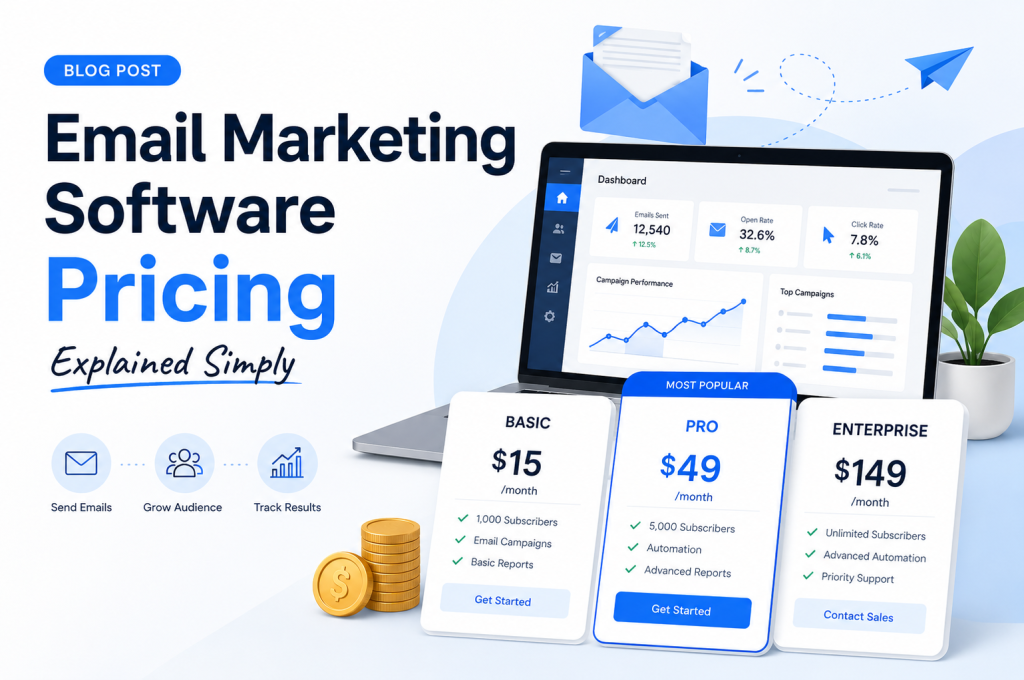
Choosing an email marketing platform isn’t simply about finding the cheapest monthly subscription. Providers use a variety of pricing models based on subscriber count, email volume, feature access and business size. This guide explains how email marketing software pricing works, what affects the overall cost, the differences between pricing tiers, and how to avoid paying for features you don’t need. Whether you’re a startup, SME or growing ecommerce business, understanding pricing structures helps you make a smarter investment while maximising return on investment (ROI).
Email Marketing Software Pricing Explained Simply
For businesses looking to strengthen customer relationships, generate repeat sales and automate marketing, email remains one of the highest-performing digital channels available. Yet when it comes to choosing software, one question appears again and again:
How much does email marketing software cost?
The answer isn’t as straightforward as a single monthly fee.
Different providers calculate email marketing software pricing in different ways. Some charge based on the size of your contact list, others on how many emails you send, while enterprise platforms often create bespoke quotes based on your requirements.
Without understanding these differences, it’s easy to spend more than necessary—or choose software that quickly becomes too restrictive as your business grows.
This guide breaks everything down into simple terms, helping you understand:
- The most common pricing models
- What influences email marketing costs
- Which features justify paying more
- Hidden costs to watch for
- How to choose pricing that grows with your business
By the end, you’ll have a much clearer understanding of how providers structure their pricing plans and which options offer genuine value for money.
Why Does Email Marketing Software Cost So Much?
At first glance, two platforms can appear remarkably similar. Both let you send newsletters, build campaigns and manage subscribers.
So why might one charge £15 per month while another costs several hundred pounds?
The biggest difference is what happens behind the scenes.
Modern platforms do far more than simply send emails. Many now include:
- Marketing automation
- Behavioural workflows
- Customer journeys
- Audience segmentation
- Landing pages
- Signup forms
- Personalisation
- CRM integration
- Analytics and reporting
- A/B testing
- API access
- Transactional emails
Each additional capability requires more infrastructure, development and support, which naturally increases the overall email marketing platform pricing.
For many growing businesses, these advanced automation features eventually save hundreds of hours of manual work, making the higher subscription worthwhile.
What Actually Determines Email Marketing Pricing?
Most providers calculate their fees using one or more core variables.
1. Subscriber Count
This is the most common pricing method.
Instead of paying for individual campaigns, you pay according to the number of contacts stored in your account.
For example:
| Subscriber Count | Typical Pricing Tier |
|---|---|
| Up to 500 | Free plan or beginner pricing |
| 501–2,500 | Entry-level monthly pricing |
| 2,500–10,000 | Mid-range business pricing |
| 10,000+ | Premium plans |
| 100,000+ | Enterprise pricing |
As your audience grows, your monthly subscription increases.
This subscriber-based pricing model is popular because it’s predictable and easy to budget for.
2. Email Volume
Some providers care less about how many subscribers you have and instead charge according to your monthly email allowance.
For example:
- 10,000 email sends
- 50,000 email sends
- 250,000 email sends
- Unlimited email sends
This approach suits businesses with large databases that only send occasional campaigns.
However, companies sending daily newsletters may find these sending limits become expensive very quickly.
3. Features Included
Not every pricing plan includes every feature.
A lower-cost package may exclude:
- Advanced automation
- Dynamic content
- Dedicated IP
- Customer support
- Advanced reporting
- Behavioural triggers
- Compliance tools
- Team collaboration
- Security enhancements
Meanwhile, premium pricing tiers unlock increasingly sophisticated capabilities designed for larger marketing teams and enterprise businesses.
This is why two businesses with identical subscriber counts can pay completely different monthly fees.
The Most Common Pricing Models Explained
Understanding the different pricing models makes comparing providers much easier.
Subscriber-Based Pricing
Probably the industry’s most widely used model.
You pay according to your total contact list size, regardless of how many campaigns you send.
Advantages
- Easy budget forecasting
- Predictable monthly billing
- Unlimited campaigns (on many plans)
Disadvantages
- Paying for inactive subscribers
- Costs increase automatically as lists grow
Best suited for:
- SMEs
- Growing businesses
- Ecommerce businesses
- Marketing teams
Pay-Per-Email Pricing
Instead of charging for contacts, providers bill according to the number of email sends.
For businesses with seasonal promotions or infrequent newsletters, this can reduce overall email marketing costs.
However, businesses running daily campaigns often exceed their allowance quickly, leading to overage charges.
Pay-As-You-Go Pricing
This model removes the monthly subscription entirely.
Instead, businesses purchase email credits as required.
Benefits include:
- No recurring billing cycle
- Flexible software budget
- Ideal for occasional campaigns
It’s often attractive for startups, freelancers and nonprofits that don’t send emails every week.
Flat-Rate Pricing
Some providers simplify everything by offering one monthly fee regardless of subscriber limits or email volume.
Although rare, flat-rate pricing offers excellent predictable pricing and removes much of the complexity associated with software evaluation.
The trade-off is that smaller businesses may pay for capacity they’ll never actually use.
Free Plan vs Paid Plan: Which Offers Better Value?
One of the first decisions businesses face is whether to start with a free plan or invest in a paid subscription from day one.
A freemium model can be an excellent way to learn the basics of email marketing, especially for startups or businesses with a small contact list. However, free accounts are designed to encourage upgrades rather than provide a complete long-term solution.
Typical free plans often include:
- Limited subscriber count
- Restricted monthly email allowance
- Basic templates
- Limited automation features
- Standard reporting
- Provider branding on emails
- Fewer integrations
As your marketing matures, these restrictions can quickly become barriers to growth.
Paid plans generally unlock:
- Marketing automation
- Advanced audience segmentation
- Personalisation
- A/B testing
- CRM integration
- Landing pages and forms
- Enhanced analytics and reporting
- Team collaboration
- Priority customer support
- API access
- Improved deliverability tools
The cheapest option isn’t always the most affordable over time. A platform that saves hours of manual work each week often delivers a significantly higher return on investment than one with a lower monthly fee.
For many small businesses, moving to a paid plan becomes worthwhile once email marketing becomes a consistent source of leads or revenue.
Understanding Pricing Tiers
Almost every provider organises its services into multiple pricing tiers.
Rather than paying only for additional subscribers, you’re often paying for increasingly advanced functionality.
A typical structure might look something like this:
| Tier | Typical Features |
|---|---|
| Free | Basic newsletters, limited contacts, simple templates |
| Starter | Higher subscriber limits, reporting, basic automation |
| Professional | Advanced automation, segmentation, landing pages, integrations |
| Business | Multiple users, advanced analytics, API access, customer journeys |
| Enterprise | Bespoke solutions, dedicated account manager, enhanced security, custom onboarding |
The key is understanding whether you’ll genuinely use the additional features.
For example, if you’re only sending one newsletter each month, paying for sophisticated behavioural automation may not provide immediate value.
Conversely, an ecommerce business sending abandoned basket emails, product recommendations and post-purchase campaigns could recover the additional subscription cost many times over.
What Hidden Costs Should You Look Out For?
When comparing email marketing software pricing, many businesses focus solely on the advertised monthly subscription.
Unfortunately, that’s rarely the complete picture.
Some providers charge additional fees that only become apparent later.
Common hidden costs include:
- Setup fees
- Implementation costs
- Migration costs
- Feature add-ons
- Additional users
- Overage charges
- Premium templates
- Dedicated IP addresses
- SMS marketing modules
- Advanced reporting packages
- Extra API usage
- Additional storage
These extras can substantially increase the total cost of ownership, particularly for larger organisations.
Before committing to a platform, ask yourself:
- Is onboarding included?
- Will I pay extra for integrations?
- Are there annual billing discounts?
- Are support options included?
- What happens if I exceed my sending limits?
- Is there a charge for additional team members?
Understanding these costs upfront helps you avoid unpleasant surprises later.
Which Features Are Actually Worth Paying For?
Not every premium feature delivers equal value.
Some are essential for growing businesses, while others are only relevant for larger organisations with more complex marketing strategies.
Features that frequently justify the additional investment include:
Marketing Automation
Automated workflows allow emails to be sent based on customer behaviour rather than manual scheduling.
Examples include:
- Welcome sequences
- Lead nurturing
- Birthday emails
- Abandoned basket reminders
- Product recommendations
- Re-engagement campaigns
Automation improves consistency while reducing repetitive work.
Audience Segmentation
Rather than sending the same campaign to everyone, segmentation allows you to group contacts according to factors such as:
- Purchase history
- Location
- Interests
- Website activity
- Customer lifecycle
- Engagement levels
More relevant emails generally lead to higher open rates, better click-through rates and stronger conversions.
Analytics and Reporting
Without reliable reporting, it’s difficult to improve campaign performance.
Useful reporting features include:
- Open rates
- Click-through rates
- Conversion tracking
- Revenue attribution
- Bounce rates
- Unsubscribe trends
- Device statistics
The more accurately you can measure performance, the easier it becomes to justify your marketing budget.
Deliverability Tools
The best-designed campaign has little value if it never reaches the inbox.
Premium platforms often include tools that improve deliverability through:
- Email authentication
- SPF configuration
- DKIM support
- DMARC compliance
- Dedicated IP options
- Reputation monitoring
These features become increasingly important as your email volume grows.
How Much Should a Small Business Spend?
There’s no universal answer because every business has different objectives.
Instead of asking:
“What’s the cheapest email marketing software?”
Ask:
“Which platform provides the best value for my current stage of growth?”
For many SMEs, spending slightly more on a platform that includes automation, reporting and integrations often reduces manual work enough to offset the higher subscription.
As your wider digital marketing strategy develops, it’s also worth considering how email complements other acquisition channels. For example, businesses investing in organic visibility often combine email campaigns with long-term search strategies to maximise customer lifetime value. Our guide to SEO services explains how search traffic and email marketing work together to generate sustainable growth: https://redfrogmedia.co.uk/seo/
When calculating your software budget, consider:
- Number of contacts
- Expected subscriber growth
- Monthly email volume
- Required integrations
- Marketing team size
- Time saved through automation
- Expected ROI
- Future scalability
Thinking beyond today’s requirements can prevent costly platform migrations later.
Choosing the Right Pricing Plan
Before signing up, use this simple pricing checklist:
- Estimate your contact list size for the next 12 months.
- Calculate your expected monthly email sends.
- List the automation features you’ll actually use.
- Decide whether CRM integration is essential.
- Compare annual pricing against monthly billing.
- Check for feature add-ons and overage charges.
- Review customer support options.
- Consider future scalability rather than just current needs.
Approaching your software evaluation methodically helps you choose a solution that supports growth instead of limiting it.
Comparing Email Marketing Pricing Models
By now, you’ve seen that there isn’t a single “correct” way providers charge for their software. The right option depends on your business model, marketing activity and future growth plans.
The table below summarises the most common pricing models and who they’re best suited for.
| Pricing Model | Best For | Potential Drawback |
|---|---|---|
| Subscriber-based pricing | Businesses with regular newsletters | Costs rise as your contact list grows |
| Pay-per-email pricing | Occasional campaigns | Frequent sending becomes expensive |
| Pay-as-you-go pricing | Freelancers, startups and seasonal businesses | Less predictable for regular campaigns |
| Flat-rate pricing | High-volume senders | Smaller businesses may overpay |
| Enterprise pricing | Large organisations with complex needs | Usually requires a custom quotation |
Rather than focusing solely on today’s monthly cost, think about where your business will be in a year’s time.
A platform that supports your growth from the beginning can save considerable time, money and disruption later.
Common Pricing Mistakes to Avoid
Selecting email marketing software isn’t just about comparing prices. Many businesses unintentionally increase their costs by overlooking key factors.
Some of the most common pricing mistakes include:
- Paying for features that never get used.
- Choosing a platform that doesn’t scale.
- Ignoring migration costs when switching providers.
- Forgetting to account for additional users.
- Failing to remove inactive subscribers.
- Overlooking annual billing discounts.
- Choosing solely on price instead of software value.
- Not considering future automation requirements.
Taking time to evaluate your long-term needs often results in a far better investment than simply choosing the lowest monthly subscription.
How to Measure Return on Investment
Email marketing consistently delivers one of the strongest returns among digital marketing channels, but measuring that return requires looking beyond subscription costs alone.
When calculating ROI, consider factors such as:
- Revenue generated from campaigns
- Time saved through automation
- Reduced manual administration
- Increased customer retention
- Higher repeat purchase rates
- Better lead nurturing
- Improved conversion rates
Even a platform with higher monthly pricing may prove to be the more economical choice if it helps generate additional sales or saves valuable staff time.
If you’re investing in paid advertising alongside email campaigns, integrating both channels can significantly improve customer acquisition and retention. Businesses looking to create a joined-up digital strategy can learn more about our PPC services here: https://redfrogmedia.co.uk/ppc/
Choosing Software That Grows With Your Business
Your email marketing platform shouldn’t just meet today’s requirements—it should continue supporting your business as it expands.
When comparing providers, think about questions such as:
- Will the platform comfortably support a growing subscriber count?
- Does it offer scalable pricing?
- Can additional users be added easily?
- Are advanced automation features available when needed?
- Does it integrate with your existing systems?
- Is customer support available when your business becomes more complex?
Planning ahead reduces the likelihood of switching platforms later, avoiding unnecessary implementation costs and disruption.
Your Website Matters Too
Even the best email campaigns ultimately direct visitors somewhere—usually your website.
If your landing pages are slow, outdated or difficult to navigate, marketing performance will inevitably suffer regardless of which email platform you choose.
That’s why successful businesses often view email marketing as part of a wider digital strategy rather than an isolated tool. A professionally designed website helps convert more of the traffic your campaigns generate, making every email work harder. You can explore our website design services here: https://redfrogmedia.co.uk/website-design/
Frequently Asked Questions
How much does email marketing software cost?
Costs vary considerably depending on the provider, pricing model and included features. Small businesses may find suitable options from under £20 per month, while enterprise solutions can cost hundreds or even thousands of pounds each month.
Which pricing model is best?
There’s no universal answer.
- Subscriber-based pricing suits businesses with regular newsletters.
- Pay-as-you-go pricing works well for occasional campaigns.
- Flat-rate pricing can benefit businesses sending large volumes of email.
- Enterprise pricing is designed for organisations with complex requirements.
The best choice depends on your contact list, campaign frequency and growth plans.
Why do email marketing prices vary so much?
Pricing is influenced by factors including:
- Contact list size
- Email volume
- Automation features
- Reporting capabilities
- Integrations
- Customer support
- Security and compliance
- Deliverability tools
- Enterprise functionality
More advanced software generally provides greater flexibility and automation, which increases subscription costs.
Is free email marketing software enough?
For new businesses with a small audience, a free plan can be an excellent starting point.
However, as your subscriber count grows and your campaigns become more sophisticated, paid plans usually offer significantly better functionality, scalability and long-term value.
How can I avoid overpaying?
The simplest approach is to compare platforms based on the features you genuinely need rather than selecting the plan with the longest list of tools.
Review your software every year, remove inactive subscribers where appropriate, and ensure your current plan still matches your business objectives.
Final Thoughts
Understanding email marketing software pricing doesn’t have to be complicated.
While every provider structures its pricing differently, most costs are determined by a combination of subscriber count, email volume, feature access and the level of support included.
Instead of searching for the cheapest platform, focus on finding one that delivers genuine value for money, fits your marketing budget and can scale alongside your business.
By comparing pricing models carefully, watching for hidden costs and investing in features that genuinely improve efficiency, you’ll be far better placed to choose software that supports sustainable business growth—not just for the next few months, but for years to come.