
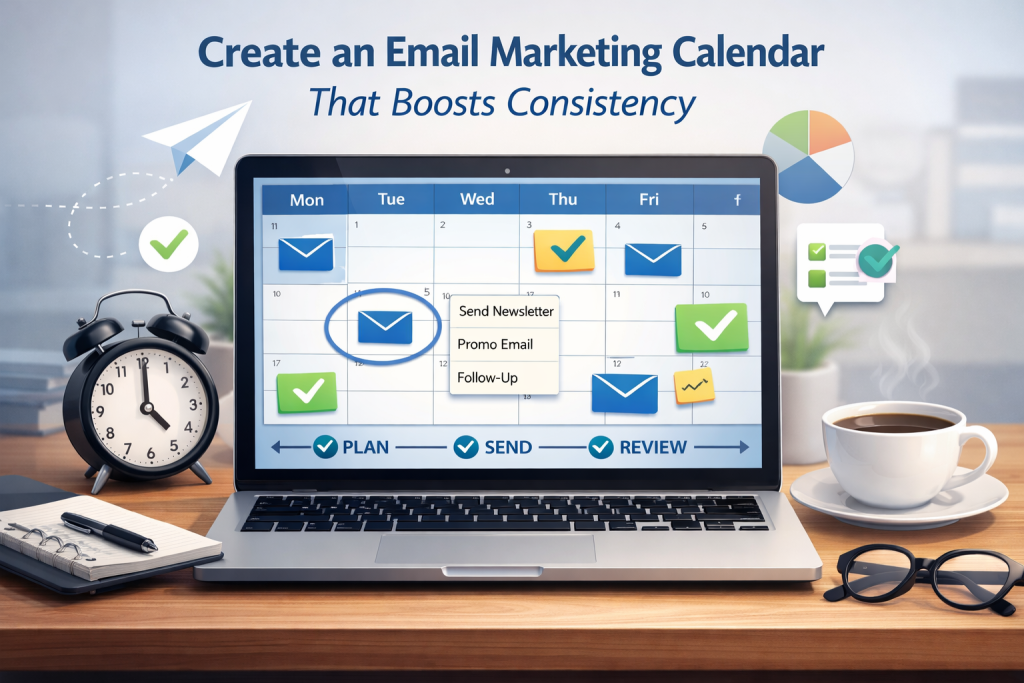
Tired of inconsistent email campaigns or last-minute panic sends? This article will walk you through how to build a streamlined email marketing calendar that helps maintain consistency, reduce overwhelm, and align your content strategy with real business goals. We’ll cover:
- Structuring an email marketing calendar that reflects your brand’s voice and strategy.
- Key elements like campaign themes, send frequency, and holiday alignment.
- Collaboration tools and tips to prevent bottlenecks.
- Segmenting your audience and aligning your campaigns with their needs.
- Real-world tools and templates to simplify planning and execution.
- Strategic timing to drive engagement across newsletters, promos, and automated sequences.
Whether you’re planning your first campaign or refining a seasoned process, these insights will help you communicate with clarity and consistency—all while freeing up your team to focus on growth.
Why Consistency in Email Marketing Is a Competitive Advantage
If your email content feels random or reactive, you’re not alone. Many brands suffer from sporadic send-outs or rushed messaging due to a lack of planning. But consistent scheduling is more than just a nice-to-have—it’s a strategic asset.
“Marketing isn’t just about showing up. It’s about showing up consistently—with intention, strategy, and value.”
By building a strong content calendar, your email marketing becomes predictable to your audience (in a good way), and it supports long-term trust and engagement. At Red Frog Media, we’ve seen firsthand how a well-structured calendar not only improves open rates but also ties beautifully into SEO strategy and broader content planning.
Start with the End in Mind: Define Goals & Themes
Before plotting out send dates or choosing designs, take a step back. Every great email campaign planning process starts by clearly defining:
- Your campaign’s objective (sales, education, retention, event attendance)
- Your target audience or segmented list
- The key performance metrics you’ll use to measure success
Consider layering your calendar with campaign themes like product launches, educational series, or seasonal moments. Planning in this way also helps your emails align with wider campaigns like PPC initiatives or social launches.
Try this:
- Brainstorm 6–12 core content themes for the year.
- Map them against important dates and known promotions.
- Use a back-up calendar to track extra ideas that don’t fit into current campaigns.
Build a Calendar Framework That Works for Your Team
Creating the structure of your email calendar isn’t about overloading your team—it’s about reducing overwhelm by setting expectations in advance.
Some marketers love traditional spreadsheets (like Google Sheets). Others prefer drag-and-drop tools like Trello or content-focused calendars like HubSpot. Whichever tool you choose, be sure your calendar structure includes:
- Send dates & times
- Targeted audience segments
- Campaign type (newsletter, promo, event, etc.)
- Status tracking (drafted, reviewed, scheduled)
- Owner/task assignments
If you’re managing a team or working with clients, platforms with collaboration features or shared calendars streamline the process significantly. Bonus points if they offer integration with project management tools or CRM software.
Need a clean and scalable front-end presence to match your email strategy? A well-crafted website design can amplify your email CTAs and drive better conversions.
Plan for Cadence, Not Chaos
One of the most common challenges email marketers face is sticking to a regular cadence. When campaigns are planned week-to-week, it’s easy to lose sight of strategy.
Instead, embrace goal-oriented scheduling and plan your frequency in advance. That might look like:
- Bi-weekly newsletters
- Monthly product updates
- Quarterly promotional campaigns
- Seasonal or holiday‑themed content
Using historical calendar references (i.e., what worked last year) can give you a head start when deciding which campaigns to repeat or evolve.
This level of foresight gives your brand room to adapt without the panic. And if something urgent pops up? You’ve got space to pivot—without throwing everything off.
Segment for Impact: Stop Emailing Everyone the Same Message
An overlooked pillar of successful email marketing is knowing exactly who you’re speaking to. Creating broad, generic messages that try to appeal to everyone usually leads to low engagement. Instead, use audience segmentation to your advantage.
Break down your list into smaller audience segments based on:
- Purchase behavior
- Email engagement (opens, clicks, inactivity)
- Location or time zone
- Lifecycle stage (new subscriber vs returning customer)
- Interests or product preferences
This allows you to deliver personalized and timely messaging that resonates. For example, an audience segment of customers who bought from a specific collection could receive seasonal campaigns highlighting complementary products or services.
Don’t forget to build out automation tools around these segments. Welcome series, re-engagement flows, and loyalty emails are all examples of automated series that help maintain a steady cadence with minimal manual effort.
And when it comes to integrating this data smoothly? A strong CRM integration can help sync your audience insights across tools and campaigns.
Layer In Content Types for a Balanced Calendar
Your email marketing calendar should never feel one-note. Variety is what keeps your subscribers interested, engaged, and curious about what’s coming next.
Consider these content types to diversify your campaigns:
- Newsletters: Share blog content, behind-the-scenes updates, or curated industry insights.
- Promotional emails: Time-sensitive offers or exclusive discounts.
- Event emails: Promote upcoming webinars, product drops, or pop-ups.
- Welcome series: Onboarding messages for new subscribers.
- Re-engagement campaigns: Win back inactive users.
Mixing up your content themes not only keeps your audience engaged, but also helps you test what works—especially if you’re running A/B testing on subject lines or call-to-action styles.
Need help crafting content that matches your calendar cadence? Our SEO services ensure your messaging is search-optimized and aligned with user intent—on and off email.
Use Templates and Tools to Save Time (and Sanity)
It’s easy to lose hours formatting emails, choosing colors, or figuring out when to hit “send.” That’s where templates and scheduling tools come in.
Here’s what we recommend integrating into your workflow:
- Templates for each campaign type (newsletters, promos, etc.)
- Shared calendars accessible to everyone on the team
- Scheduling software (like Mailchimp, Klaviyo, or HubSpot) for auto-send
- Email metrics tracking dashboards to monitor performance in real-time
If your team works remotely or across departments, it’s even more critical to adopt tools that support collaboration and make status tracking intuitive. These tools help prevent miscommunication and ensure task ownership is always clear.
Consider creating a project milestone checklist for each campaign so you always know what’s complete and what needs review before launch.
Pro tip: Build a monthly “review and clean calendar” day into your process. It gives your team a consistent moment to check for gaps, remove outdated messages, and improve list hygiene.
Monitor, Measure, and Refine for Long-Term Success
Once your calendar is in motion, the work isn’t done. The brands that see long-term ROI from email marketing are the ones who regularly review and update their strategy based on performance.
Keep a close eye on:
- Open rates (a window into subject line and timing effectiveness)
- Click-through rates (how compelling your messaging and CTAs are)
- Conversion rates (the ultimate measure of success)
- Email deliverability and subscriber list health
Use this data to inform your next round of content calendar planning. Did your event emails outperform your regular newsletters? Were certain segments more responsive than others? These insights guide future goal-oriented scheduling and campaign optimization.
Don’t forget to involve the team. Regular review sessions support cross-team alignment and help surface overlooked wins or bottlenecks in your workflow organization. You can also revisit your calendar tools or templates to ensure they’re still serving the process, not complicating it.
If you’ve documented your campaigns in a historical calendar reference, that resource becomes a goldmine for year-over-year comparison, helping you improve strategic timing with every cycle.
Align Your Calendar with the Bigger Picture
A strong email calendar doesn’t live in a silo. It should reflect your brand’s business goals, mirror your website activity, and sync with any advertising efforts. For instance, a product featured in a seasonal campaign email should link directly to a high-converting landing page or collection.
That’s why consistency across platforms is key. If your design, tone, and messaging are out of step between email and your site, you risk losing user trust. Regularly aligning your calendar with your website content and other touchpoints ensures a smoother customer journey from inbox to checkout.
At Red Frog Media, we recommend treating your email marketing calendar as a living document—one that’s flexible enough to adapt but strategic enough to lead. When done well, it anchors your content, supports engagement, and drives repeat business.
Final Thoughts: More Than Just a Calendar
To Create an Email Marketing Calendar That Boosts Consistency isn’t just about plugging dates into a spreadsheet. It’s about setting your brand up for sustained success, eliminating chaos, and communicating with purpose.
By weaving together audience segmentation, content variety, strategic timing, and clear ownership, you create a framework that amplifies every message you send. The result? Less guesswork, more growth.
FAQ: Email Marketing Calendars & Consistency
1. How far ahead should I plan my email marketing calendar?
Ideally, you should plan one quarter ahead. This gives you time to map out seasonal campaigns, align with business goals, and coordinate with other departments. Some brands plan 6–12 months out but leave space for agile updates.
2. How many emails per week is too many?
It depends on your audience and content type, but a good rule of thumb is 1–3 emails per week. Over-emailing without value can lead to unsubscribes, so focus on maintaining a regular cadence that prioritizes relevance over volume.
3. Should I include social media or blog content in my calendar?
Yes. If your email calendar is part of a broader content calendar, integrating blog posts or social campaigns helps maintain consistency across platforms and supports cross-promotion of your content.
4. What should I do if I miss a scheduled email?
Don’t panic. Either reschedule it if it’s still relevant, or skip it and analyze what caused the delay. Use it as a cue to review your process for task ownership, team communication, or workload balance.
5. Is it better to send emails on certain days or times?
Yes. Industry benchmarks suggest Tuesdays to Thursdays, mid-morning or early afternoon, tend to perform well. But the best approach is to test send times based on your audience’s behavior and refine using real data.
6. Can I use the same calendar for SMS and push notifications?
If your team manages multiple communication channels, it’s smart to use a centralized editorial calendar. You can create separate tabs or tracks for each channel while ensuring your messaging stays aligned.
7. How do I prevent content from becoming repetitive?
Create content buckets or pillars (e.g. product highlights, tips, user stories, events), then rotate them. This brings structure to your messaging and keeps your audience engaged with fresh content each week or month.
8. How often should I update my email calendar?
Review it monthly for small tweaks and quarterly for broader strategy shifts. Look at what worked, what didn’t, and where gaps may be appearing in your campaign flow or engagement data.
9. What’s the difference between an email calendar and an automation workflow?
An email calendar plans your manual and scheduled campaigns (like newsletters and promos). An automation workflow runs in the background—triggered by user actions (e.g. abandoned cart, welcome flow). Both are important but serve different purposes.
10. How can I align my calendar with promotions or product launches?
Begin by mapping out your product roadmap and key promotions. Then work backward from those dates to plan teaser emails, launch campaigns, and post-launch follow-ups. This ensures your email strategy is tightly integrated with your sales goals.