
Getting an email delivered and getting it into the primary inbox are two different things. And even when your message reaches the inbox, that doesn’t mean somebody will open it.
Improving results therefore means working on both sides of the equation: email deliverability and inbox placement first, engagement and open rates second.
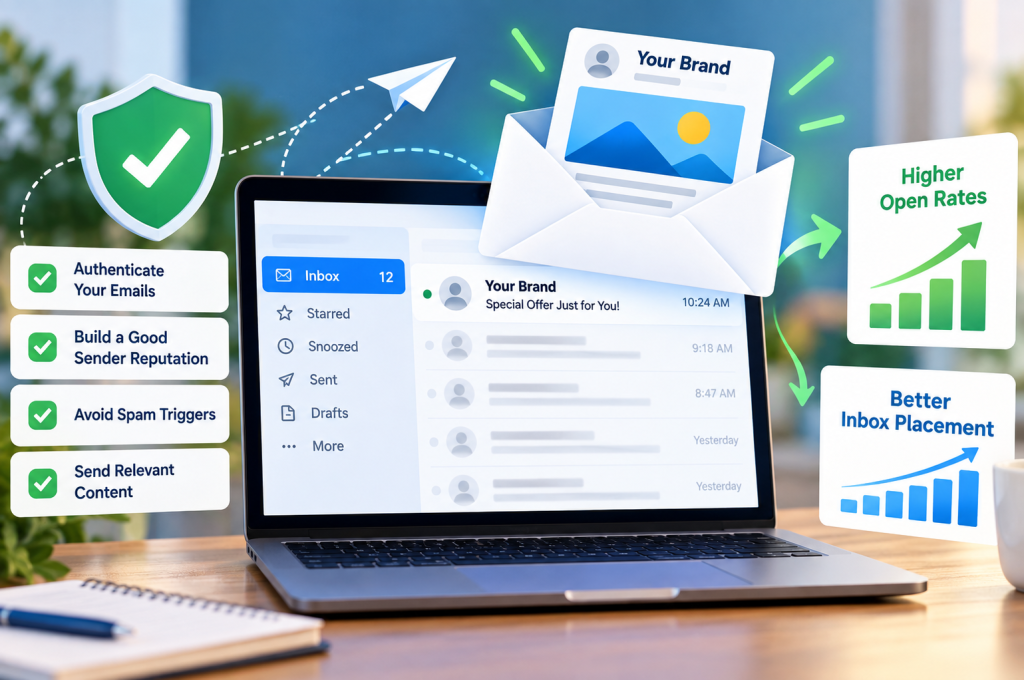
The quick version: build an email list from people who genuinely want to hear from you; keep that list clean; authenticate your sending domain with SPF, DKIM and DMARC; protect your sender and domain reputation; avoid sudden or erratic sending patterns; segment subscribers according to their interests and engagement; and give recipients a compelling reason to open each message.
In practical terms, think of the process like this:
Email authentication + sender reputation + list hygiene + subscriber engagement → better inbox placement → more opportunities to earn opens.
Once you’re reaching the inbox:
Sender recognition + subject line + preview text + relevance + timing → a greater chance of the email being opened.
That distinction matters. Trying to optimise an email open rate while ignoring deliverability is rather like redesigning a shop window that’s hidden down a locked alley. First, people need to reach it.
Email Delivery and Inbox Placement Aren’t the Same Thing
One of the most useful distinctions in email marketing is also one of the easiest to overlook.
A good delivery rate tells you that your emails have generally been accepted by receiving mail servers. It doesn’t necessarily tell you where those emails went afterwards.
An accepted email might land in:
- the primary inbox;
- a promotions or similar secondary tab;
- the spam folder;
- another filtered folder; or
- an inbox position where it receives very little attention.
Inbox placement, by contrast, is concerned with where successfully delivered messages actually end up.
This means you can have what appears to be a healthy delivery rate while still having an inbox placement problem. If too many messages are being filtered as spam, improving subject lines alone isn’t going to solve the underlying issue.
The distinction is useful beyond email, too. Digital marketing works best when the entire journey is considered rather than one isolated metric. The same principle applies when assessing SEO performance: visibility matters, but visibility only becomes valuable when the right people find you and take the next step.
What Is Inbox Placement Rate?
Your inbox placement rate represents the proportion of delivered emails that successfully reach recipients’ inboxes rather than being diverted elsewhere, particularly into spam.
This is why delivered shouldn’t automatically be interpreted as seen.
Mailbox providers make filtering decisions using numerous signals. Depending on the provider and situation, these can include:
- Sender reputation and historical sending behaviour.
- Domain reputation and, where applicable, IP reputation.
- Proper email authentication.
- Bounce and complaint behaviour.
- Recipient engagement history.
- Sending volume and frequency.
- List quality.
- Content and link-related signals.
No single trick guarantees inbox placement. It is the accumulated picture created by your sending practices that matters.
And that’s good news in one respect: it means there are multiple areas you can improve.
Start With Sender Reputation, Not Clever Subject Lines
When an email campaign underperforms, the subject line tends to receive the blame first.
Sometimes that’s justified. Often it isn’t.
Before rewriting a subject line for the twentieth time, look further upstream. If the message is being filtered into spam, the world’s most irresistible subject line won’t rescue its open rate.
Your sender reputation is effectively the track record attached to your email activity. Mailbox providers can use historical and current signals to help determine how messages associated with a sender should be treated.
A strong reputation is built gradually. A poor one can develop when your email programme repeatedly generates negative signals.
Those signals can include:
- high numbers of hard bounces;
- sending to invalid email addresses;
- spam complaints;
- consistently poor recipient engagement;
- hitting spam traps;
- sudden changes in sending volume;
- questionable subscriber acquisition practices; and
- continuing to email people who have shown no interest for a prolonged period.
The goal isn’t to discover a secret formula for pleasing a spam filter. It’s to behave like a legitimate sender whose recipients actually expect and value the messages they receive.
Domain Reputation and IP Reputation
Two terms you’ll encounter frequently are domain reputation and IP reputation.
Domain reputation concerns the reputation associated with the domain used in your email activity. IP reputation relates to the sending infrastructure responsible for transmitting those messages.
The precise importance of each signal varies depending on your setup, email service provider (ESP), sending infrastructure and mailbox provider. But the broader lesson is straightforward:
reputation follows behaviour.
Changing the appearance of an email won’t erase poor sending practices.
For a business using email as part of a broader acquisition strategy, that makes reputation management just as important as the campaigns themselves. You wouldn’t continuously pay to send poorly targeted visitors to an irrelevant landing page. The same thinking applies to PPC campaigns: quality, relevance and what happens after the initial interaction all matter.
Email deserves the same discipline.
Authenticate Your Email Properly
If sender reputation is your track record, email authentication helps receiving systems verify that a message claiming to come from your domain is legitimately associated with it.
Three acronyms matter particularly here:
| Authentication | What it does |
|---|---|
| SPF | Identifies servers authorised to send email for a domain. |
| DKIM | Adds a cryptographic signature that can be checked by the receiving system. |
| DMARC | Builds on SPF and DKIM, adding domain alignment and a policy for handling authentication failures. |
These aren’t decorative technical extras.
SPF, DKIM and DMARC form an important part of a properly configured email programme, particularly as major mailbox providers have strengthened requirements around authentication and responsible bulk sending.
SPF: Authorising Senders
SPF, or Sender Policy Framework, allows a domain owner to specify which mail servers are authorised to send on behalf of that domain.
Receiving systems can compare the source of an incoming email against the domain’s published SPF information.
A common mistake is assuming that simply having an SPF record means the job is finished. Configuration matters. Changes to email platforms, CRM systems and other services that send messages using your domain can all affect the setup.
DKIM: Proving Message Authenticity
DKIM, or DomainKeys Identified Mail, uses cryptographic authentication.
A signature is attached to outgoing email, and the receiving mail system can use information published in DNS to verify that signature.
In simplified terms, DKIM helps provide evidence that the message is genuinely associated with the signing domain and hasn’t been improperly altered during transit.
DMARC: Bringing Authentication Together
DMARC — Domain-based Message Authentication, Reporting and Conformance — works alongside SPF and DKIM.
It introduces the important concept of domain alignment, helping domain owners specify how receiving systems should treat messages that fail the appropriate checks. DMARC reporting can also provide valuable visibility into services attempting to send email using your domain.
That makes authentication both a deliverability issue and a brand-protection issue.
A healthy email programme isn’t built by choosing between technical deliverability and good marketing. You need both.
Your Email List Can Help — or Hurt — Inbox Placement
Authentication establishes legitimacy. Your email list provides another set of signals entirely.
Sending repeatedly to poor-quality addresses can increase bounce rates and expose your campaigns to other negative signals. That’s why list hygiene, email verification and responsible list management belong near the top of any deliverability strategy.
A clean email list isn’t necessarily the biggest list.
It’s a list containing real recipients who have a legitimate reason to receive your messages and, ideally, some interest in doing so.
This is where marketers sometimes get distracted by vanity metrics. A database of 100,000 contacts may sound impressive, but sheer volume is of limited value if a substantial percentage of those addresses are invalid, inactive or completely uninterested.
A smaller, engaged audience can be far more useful.
The principle resembles effective website design. More elements on a page don’t automatically make the page better. What matters is whether each element has a purpose and helps the visitor move naturally towards the intended action.
Your subscriber database should be treated with the same restraint.
Make List Hygiene an Ongoing Process
Email list cleaning shouldn’t be something you only consider after deliverability collapses.
List quality changes over time. People leave companies, abandon accounts, change addresses and lose interest. Even a database that was healthy when contacts originally subscribed can gradually deteriorate.
Good list hygiene therefore means continually monitoring signals such as:
- hard bounces;
- repeated soft bounces;
- inactive subscribers;
- unengaged subscribers;
- invalid email addresses;
- spam complaints;
- unusual changes in engagement metrics; and
- addresses that may warrant additional email verification.
Hard Bounces vs Soft Bounces
A hard bounce generally indicates a permanent delivery failure, such as an address that doesn’t exist.
A soft bounce indicates a delivery problem that may be temporary.
The distinction matters because repeatedly attempting to send to addresses that cannot accept your email serves little purpose and can contribute to poor list-quality signals.
Bounce management should therefore form part of routine campaign maintenance rather than an emergency response.
Be Careful About Where Email Addresses Come From
One of the simplest ways to improve list quality is to improve the way people reach the list in the first place.
An opt-in subscriber who deliberately requested your emails represents a very different relationship from somebody who doesn’t recognise your business or remember giving permission.
That difference can subsequently show up through behavioral signals: opens, clicks, unsubscribes, inactivity and spam complaints.
Where appropriate, double opt-in can provide additional confirmation that an address is valid and that its owner genuinely wants to subscribe. Whatever signup model you use, the central principle remains the same:
Explicit consent and genuine subscriber interest create a healthier foundation than simply trying to accumulate as many addresses as possible.
That foundation becomes increasingly important as your email programme grows.
Engagement Is a Deliverability Signal, Not Just a Marketing Metric
Once the technical foundations are in place and your email list is healthy, attention turns to the people receiving your messages.
This is where email engagement becomes particularly important.
Marketers naturally look at engagement metrics to understand campaign performance. Opens, clicks, conversions, unsubscribes and other interactions tell you something about how recipients respond to what you send.
But subscriber engagement isn’t only useful after an email campaign has finished.
It can also contribute to the wider collection of behavioral signals surrounding your email programme. When recipients consistently engage with your messages, that’s a very different pattern from sending campaign after campaign to people who continually ignore them.
This is why inbox placement and open rates shouldn’t be treated as separate projects.
They influence one another.
You need inbox placement to create an opportunity for engagement, while healthy engagement can support the signals associated with a stronger email programme.
The objective, therefore, isn’t simply to get more people onto your email list. It’s to develop an audience that actually wants the emails you’re sending.
Stop Treating Every Subscriber the Same
One of the fastest ways to make email less relevant is to send exactly the same thing to everybody.
Your subscribers aren’t identical.
They may have arrived through different pages, purchased different products, shown interest in different services, joined at different stages of the customer journey or interacted with previous emails in completely different ways.
Email segmentation allows you to use those differences.
Instead of asking:
“What should we send our list this week?”
ask:
“What would be useful to this particular group of subscribers right now?”
That small shift changes the role of email.
You’re no longer broadcasting simply because another campaign is due. You’re matching relevant content to an audience with a reason to care about it.
Useful Ways to Segment an Email List
The right audience segmentation will depend on the information you legitimately hold and the nature of your business, but useful groups might be based on:
- products or services previously purchased;
- expressed interests and preferences;
- pages, resources or offers used to join the list;
- previous email engagement;
- recent customers versus long-term customers;
- active versus inactive subscribers;
- geographical relevance where appropriate;
- lifecycle or customer-journey stage; and
- previous campaign interactions.
The purpose isn’t to create dozens of tiny segments merely because your email service provider allows it.
Segmentation should make the message more relevant.
If dividing an audience doesn’t materially change what you send, when you send it or why the recipient should care, the segment probably isn’t doing much useful work.
Personalization Needs to Go Beyond a First Name
Personalization has become one of those email marketing terms that can mean almost anything.
Putting Hi Sarah at the beginning of a message technically qualifies as personalization. But if Sarah then receives an offer that has nothing to do with her interests, that personalized greeting hasn’t achieved very much.
Useful personalization is about relevance.
That could mean changing the email content according to known preferences, using dynamic content, recommending appropriate next steps or using legitimate behavioral triggers to determine when a message should be sent.
Consider the difference:
Basic personalization: “Hi James, here’s this week’s offer.”
versus:
Relevant personalization: “You showed interest in X, so here’s something that helps you take the next step.”
The second approach has a reason for existing.
And that matters because subscribers gradually learn what to expect from a sender. If your messages routinely contain something useful, opening the next one becomes an easier decision.
If they’re routinely irrelevant, ignoring them becomes an easier decision instead.
Sending Frequency Can Quietly Damage Engagement
More emails create more opportunities for clicks and sales.
At least, that’s how the logic can appear.
In reality, email frequency is a balancing act.
Send too infrequently and recipients may forget who you are or why they subscribed. Send too frequently and even previously engaged subscribers can begin ignoring messages, unsubscribing or marking unwanted email as spam.
There is no universal perfect sending frequency.
A daily email can make sense for one type of publication while being excessive for another business. A monthly email could be perfectly adequate in one industry and far too infrequent in another.
Rather than searching for a magic number, examine how your audience responds.
Watch for changes in:
- email open rate;
- click-through rate;
- unsubscribe rate;
- spam complaint rate;
- conversion rate;
- engagement by segment; and
- the number of subscribers becoming inactive.
These email metrics become more useful when viewed together.
A higher sending frequency, for example, could produce more total conversions while reducing engagement per individual email. That isn’t automatically good or bad; it needs to be interpreted against the purpose of the campaign and the effect on your audience over time.
The important point is to avoid assuming that more sends = better email marketing.
Consistency Matters Too
Frequency concerns how often you communicate. Sending patterns concern how that activity behaves over time.
Imagine a domain that sends modest volumes consistently and then suddenly begins sending dramatically larger campaigns.
That’s a very different pattern.
Large changes in sending volume can occur legitimately — seasonal campaigns and business growth are obvious examples — but volume shouldn’t be considered in isolation from sender reputation and audience quality.
If you’re moving to a new sending setup or dramatically expanding an email programme, concepts such as IP warming and domain warming may also become relevant.
The underlying idea is straightforward: establish a legitimate sending history rather than immediately behaving like an established high-volume sender when there is little history supporting that activity.
This becomes particularly important when scaling.
Growth is useful. Erratic growth can create problems.
Give Subscribers Control
Another surprisingly effective way to maintain a healthier email audience is to make it easy for people to leave.
That sounds counterintuitive.
Surely the objective is to prevent unsubscribes?
Not necessarily.
The objective should be to retain people who want to hear from you.
An unsubscribe from somebody who no longer wants your emails can be preferable to repeatedly sending unwanted messages to that person until they disengage completely or generate a spam complaint.
Make your opt-out process clear and functional.
Where appropriate, a preference centre can give subscribers more control. Rather than presenting the choice as receive everything or receive nothing, you might allow someone to choose:
- the topics they’re interested in;
- the types of emails they receive;
- their preferred email frequency; or
- which subscriptions they want to keep.
This can help align expectations with actual sending behaviour.
But don’t use a preference centre as an obstacle course.
If someone wants to unsubscribe, let them.
Don’t Ignore Inactive Subscribers Forever
An email list can look healthy on the surface while carrying a large population of people who haven’t interacted for months.
These inactive subscribers deserve attention.
The answer isn’t necessarily to delete everyone the moment they fail to open a few emails. There are legitimate reasons why someone might temporarily stop engaging, and open data itself has limitations.
Instead, define what inactivity means for your programme.
That definition might consider a combination of:
- time since subscription;
- emails delivered;
- recent clicks;
- website or account activity where legitimately available;
- purchase activity;
- previous engagement history; and
- the normal buying cycle for your business.
Someone who buys a particular service every two years shouldn’t necessarily be judged by the same engagement window as a subscriber to a daily newsletter.
Context matters.
Use a Re-Engagement Campaign Before Saying Goodbye
Once you’ve identified genuinely unengaged subscribers, a re-engagement campaign gives you an opportunity to find out whether they still want the relationship.
Don’t make this another ordinary promotional blast.
Be direct.
Remind the subscriber why they’re receiving your emails. Give them a reason to stay. Allow them to update their preferences. And provide a straightforward route out if they’re no longer interested.
A simple sequence might look like this:
- Reminder: Reintroduce the value of remaining subscribed.
- Choice: Ask whether the recipient still wants the emails.
- Preference: Allow them to change topics or frequency where appropriate.
- Final confirmation: Explain that inactive contacts may stop receiving campaigns.
- Suppression: Stop routinely mailing recipients who remain persistently inactive according to your established criteria.
This is where a sunset policy becomes useful.
A sunset policy defines when and how persistently unengaged contacts stop receiving normal marketing campaigns.
That may reduce the headline size of your database.
It can also leave you with a more meaningful audience.
A large email list is not automatically a valuable email list. The useful number is the number of people who genuinely want, receive and engage with what you send.
Now Earn the Open
Once your email reaches the inbox, a different competition begins.
The technical work has done its job. Authentication, list hygiene, reputation and engagement have helped put the message somewhere it can potentially be seen.
Now the recipient has to choose it.
And they’re rarely choosing your email in isolation.
Your message may be sitting alongside work emails, order confirmations, newsletters, personal conversations, notifications, promotions and dozens of other demands for attention.
This is where three elements become particularly important:
sender name + subject line + preview text.
Together, they form much of what a recipient can see before opening the email.
Start With the Sender Name
Before someone reads your clever subject line, they may notice who sent the message.
That makes the sender name an important and sometimes overlooked part of open-rate optimisation.
Recognition matters.
Recipients should be able to understand who the message is from without having to investigate. Constantly changing the sender identity or using confusing names can introduce unnecessary friction.
A good sender identity should generally be:
- recognizable;
- consistent;
- relevant to the relationship;
- trustworthy; and
- easy to distinguish in a busy inbox.
Brand recognition is earned over repeated interactions.
If subscribers associate your sender name with useful email content, the name itself can eventually become part of the reason they open.
Write Subject Lines for Humans, Not Formulas
There are countless supposed rules for writing the perfect subject line.
Use a number.
Ask a question.
Create curiosity.
Keep it short.
Make it longer.
Use urgency.
Never use urgency.
The problem is obvious: if there were one universally perfect formula, every inbox would contain exactly the same subject line.
A better question is:
Does the subject line give the right recipient a credible reason to care about this particular email?
Strong subject lines tend to balance several qualities:
- clarity — the recipient can understand what the message concerns;
- relevance — the topic matches an existing interest or need;
- specificity — there is enough detail to make the message meaningful;
- curiosity — where appropriate, there’s a reason to discover more; and
- accuracy — the email delivers what the subject line implies.
That final point matters.
You can sometimes manufacture an open through exaggerated urgency, misleading curiosity or clickbait.
But an open isn’t the end goal.
If the recipient immediately discovers that the subject line oversold the content, you’ve traded long-term trust for a single metric.
That’s a poor exchange.
Don’t Waste the Preview Text
The preview text — often called preheader text — gives you another opportunity to explain why the message deserves attention.
Yet many campaigns waste it.
You’ve probably seen inbox previews containing fragments such as:
“View this email in your browser…”
or:
“Having trouble viewing this message?”
Technically, that’s text.
Strategically, it’s a missed opportunity.
Think of the subject line and preview text as a pair.
If the subject line introduces the idea, the preview can extend it.
For example:
Subject: Your landing page is getting traffic. So why isn’t it converting?
Preview: Five friction points that could be costing you enquiries.
The preview doesn’t merely repeat the subject. It adds context.
That makes the limited space available in the inbox work harder.
Relevance Beats Tricks
Open-rate optimisation is sometimes approached as a bag of psychological tricks.
Urgency. Curiosity gaps. Capital letters. Personalization tokens. Power words.
Those techniques can influence attention, but none solves the underlying problem of an irrelevant email.
If the recipient doesn’t care about the topic, clever packaging can only do so much.
That’s why the work undertaken earlier — consent, list quality, segmentation, personalization and subscriber engagement — eventually feeds directly into the email open rate.
The most persuasive reason to open an email is often surprisingly simple:
the recipient expects it to contain something worth opening.
And that expectation isn’t created by one subject line.
It’s created by every email you’ve sent before it.
Find the Right Time to Send
Even an excellent email can underperform when it arrives at the wrong moment.
That’s why send time deserves testing.
The tempting approach is to search for the universally “best” day and time to send an email campaign. You’ll find plenty of studies claiming Tuesday morning, Thursday afternoon or some other precise window produces superior results.
Those benchmarks can be interesting.
Your own audience is more important.
A B2B audience checking email during working hours may behave very differently from consumers reading promotional messages in the evening. Geography, industry, purchase cycle, demographics and the reason someone subscribed can all influence when engagement occurs.
Instead of blindly following an industry average, use your own engagement metrics to identify patterns.
Look at:
- opens and clicks by day;
- engagement by time of day;
- performance by audience segment;
- conversions following each campaign;
- unsubscribe and complaint behaviour; and
- changes in performance over longer periods.
You may discover that different segments require different schedules.
This is where send-time optimization can become useful. Rather than assuming every subscriber should receive a campaign simultaneously, some email platforms can use historical behaviour to determine more appropriate delivery windows.
But don’t overcomplicate things prematurely.
Start with sensible hypotheses. Test them. Measure the results. Then refine.
Design for the Device in Someone’s Hand
Getting somebody to open an email is only half the engagement battle.
What happens immediately afterwards matters too.
If your message is difficult to read, painfully slow to navigate or badly formatted on a small screen, you’ve created friction at precisely the moment the recipient has given you their attention.
That’s why mobile optimization and responsive email design belong in the wider conversation about engagement.
A good responsive email should adapt appropriately to the screen on which it’s being viewed.
Pay attention to:
- readable typography;
- sensible line lengths;
- clear visual hierarchy;
- appropriately sized buttons and links;
- spacing around clickable elements;
- images that scale correctly;
- concise, scannable copy; and
- a clear primary action.
Don’t assume the desktop version shrinking onto a phone is good enough.
Test it.
Don’t Forget Email Accessibility
Good email accessibility helps make your campaigns usable by more people.
That can include writing descriptive alternative text for meaningful images, maintaining logical content structure, using descriptive links and avoiding design decisions that make important information unnecessarily difficult to perceive or understand.
Accessibility shouldn’t be treated as a decorative final check.
It belongs in the design process.
And remember that images may not always load or display as expected. If the entire meaning of an email depends on one graphic, the message can become considerably less useful when that graphic isn’t available.
Important information should remain understandable.
Keep the Journey After the Click Consistent
Email performance doesn’t stop at the click.
Imagine receiving a polished, relevant email, clicking its primary call to action and arriving on a page that bears little resemblance to what you were promised.
The email may have performed its immediate job, but the customer journey hasn’t.
Maintain continuity between:
email → offer → landing page → action.
The message, imagery, terminology and promise should feel connected.
This is particularly important when measuring conversion rate. An email can achieve a strong click-through rate while producing disappointing commercial results if the destination fails to continue the conversation effectively.
That distinction prevents another common mistake: judging campaign success using one isolated number.
A/B Test One Useful Question at a Time
Guesswork has a place in brainstorming.
It shouldn’t be the foundation of your entire email programme.
A/B testing allows you to compare variations and learn how your audience responds.
Potential tests include:
- subject line;
- preview text;
- sender name;
- email content;
- call to action;
- send time;
- offer or proposition;
- email design; and
- personalization approach.
But testing everything simultaneously creates another problem: you may not know what caused the difference.
Start with a question.
For example:
Does a specific, benefit-led subject line generate more meaningful engagement than a curiosity-led alternative for this audience segment?
That’s much more useful than “let’s try two random subject lines.”
Define what success means before running the test.
And don’t automatically make the email open rate your only success metric.
A subject line could generate more opens but fewer clicks. Another could attract slightly fewer opens but substantially more conversions because it sets clearer expectations.
Which one performed better?
That depends on what the campaign was designed to achieve.
Treat Open Rates With Some Caution
Open rates are useful, but they aren’t a perfect measurement of human attention.
Email platforms commonly infer an open when a tracking image loads. Privacy features, image handling, caching and other technical factors can therefore influence recorded opens.
This doesn’t make open-rate data worthless.
It means it should be interpreted alongside other email metrics.
Look at the wider picture:
- click-through rate;
- conversion rate;
- unsubscribe rate;
- bounce rate;
- spam complaint rate;
- replies where relevant;
- website behaviour; and
- commercial outcomes.
An apparent increase in opens accompanied by collapsing clicks isn’t necessarily a success.
Likewise, a campaign with a modest open rate could still be valuable if the people who do open it are highly relevant and convert strongly.
Metrics are signals, not trophies. Their job is to help you understand behaviour and make better decisions.
Test Deliverability Before Problems Become Obvious
Creative testing asks whether people respond to your message.
Deliverability testing asks whether they can reliably receive it in the first place.
That’s a different question.
Inbox placement testing can help identify whether messages are reaching inboxes or being diverted elsewhere across different receiving environments.
Similarly, spam testing can help uncover potential technical or content-related concerns before a campaign is sent widely.
Testing is particularly useful when something changes.
For example:
- you’ve moved to a new email service provider;
- you’re using a new sending domain;
- sending volume has changed substantially;
- authentication settings have been modified;
- a new template has been introduced;
- engagement has deteriorated unexpectedly; or
- spam placement appears to be increasing.
Don’t wait for your open rate to collapse before investigating.
Monitor Reputation, Not Just Campaign Reports
Standard email campaign reports tell you what happened inside your marketing platform.
That isn’t always the entire picture.
Where appropriate for your sending setup, reputation and postmaster tools can provide another perspective.
For example, Google Postmaster Tools can provide eligible senders with information relating to areas such as domain/IP reputation, authentication and spam behaviour within Google’s ecosystem. Other mailbox and network providers may offer their own reporting or feedback mechanisms.
These tools shouldn’t be interpreted as a universal score for your entire email programme.
A mailbox provider’s data relates to its own environment.
Still, combining that information with your ESP reports, authentication data, bounce logs, complaint signals and inbox placement testing can give you a much better diagnostic picture than staring at open rates alone.
Pay Attention to Spam Complaints
An unsubscribe says:
“I don’t want these emails anymore.”
A spam complaint can send a much less favourable signal.
That makes your spam complaint rate worth monitoring closely.
Complaints can arise for many reasons. Recipients may not recognise the sender. They may believe they never subscribed. Your frequency may be excessive. The content may differ from what they expected. Or they may simply find marking a message as spam easier than locating an unsubscribe option.
Whatever the reason, don’t treat complaints as merely annoying statistics.
Investigate patterns.
Ask:
- Where were these subscribers acquired?
- What did they originally consent to receive?
- Can recipients clearly recognise the sender?
- Has email frequency increased?
- Are particular segments generating disproportionate complaints?
- Is the unsubscribe process straightforward?
- Does the email content match the expectations established at signup?
The best way to reduce complaints isn’t to make the spam button harder to find — you can’t.
It’s to reduce the reasons somebody might want to use it.
Make Unsubscribing Easy
Trying to trap uninterested subscribers rarely ends well.
A clear unsubscribe mechanism gives people a legitimate exit.
For relevant bulk-sending environments, you may also encounter terms such as the List-Unsubscribe header, one-click unsubscribe and List-Unsubscribe-Post.
These mechanisms allow supporting mailbox interfaces to make unsubscribing easier without requiring recipients to hunt through the email body.
The technical implementation will depend on your email platform and sending setup, but the principle is universal:
people who don’t want your marketing emails should be able to stop them without a fight.
Removing an uninterested recipient is not necessarily a loss.
Keeping that person on a list against their preference isn’t a meaningful win.
Keep Up With Bulk Sender Requirements
Email deliverability isn’t static.
Mailbox providers update their requirements, filtering systems and recommended practices over time. If you send significant volumes, you should keep track of the current requirements published by the providers receiving your mail.
Authentication, complaint levels and unsubscribe functionality have become particularly important areas for bulk senders.
Don’t rely indefinitely on a checklist written several years ago.
Review your configuration periodically and confirm that your sending practices still meet current requirements.
This is especially important after changing:
- domains;
- email platforms;
- DNS providers;
- authentication records;
- sending infrastructure; or
- campaign volume.
Something that was configured correctly when your email programme launched may not remain correct forever.
When Emails Start Going to Spam, Diagnose Before Changing Everything
A sudden deliverability problem can trigger panic.
Teams start changing subject lines, templates, domains, sending schedules and email platforms simultaneously.
That makes diagnosis harder.
If spam placement rises unexpectedly, work through the problem systematically.
1. Check Authentication
Confirm that SPF, DKIM and DMARC are functioning as intended.
Look for changes to DNS or sending services that may have affected domain alignment or authentication.
2. Review Bounce Behaviour
Has the bounce rate increased?
Look for hard bounces, unusual soft-bounce patterns, temporary deferrals and changes in SMTP responses.
3. Inspect List Acquisition
Did a new audience or data source recently enter the email list?
A deterioration immediately after importing a large group of contacts deserves investigation.
4. Examine Engagement
Have opens, clicks or other meaningful engagement signals declined over time?
Look particularly closely at older and persistently inactive segments.
5. Review Complaint Activity
Has the spam complaint rate increased?
If so, determine which campaigns and subscriber sources are associated with the change.
6. Check Sending Volume
Did you suddenly send substantially more email than usual?
Look for changes in sending frequency and overall volume.
7. Examine Reputation Signals
Where reliable reputation-monitoring information is available, check for deterioration in domain or IP reputation.
8. Test Placement
Use appropriate inbox placement testing to determine whether the issue is widespread or concentrated around particular mailbox providers.
Changing ten variables at once might accidentally make the problem disappear.
It won’t necessarily tell you what caused it.
Measure the Whole Email Funnel
One of the central lessons of improving inbox placement and open rates is that no single metric tells the whole story.
Consider the journey:
Sent → Delivered → Inbox → Opened → Clicked → Converted
Each stage answers a different question.
| Stage | Useful question |
|---|---|
| Sent | Did we attempt to send the message? |
| Delivered | Was it accepted by the receiving system? |
| Inbox placement | Where did the delivered message land? |
| Opened | Was an open recorded? |
| Clicked | Did the recipient interact with the content? |
| Converted | Did the campaign contribute to the intended outcome? |
A weakness near the top of this funnel affects everything beneath it.
If delivery is poor, fewer messages have an opportunity to reach an inbox.
If inbox placement is poor, fewer recipients have a reasonable opportunity to see them.
If subject lines and sender recognition are weak, fewer people may open.
If the content isn’t relevant, fewer recipients may click.
If the landing experience disappoints, fewer clicks may convert.
That’s why email optimization should work from the foundations upward.
A Practical Inbox Placement and Open-Rate Checklist
Before your next major email campaign, work through this checklist.
Technical Foundation
- Confirm SPF is correctly configured.
- Confirm DKIM signing is functioning.
- Review DMARC and domain alignment.
- Check that the sending domain is expected and recognizable.
- Review relevant domain and IP reputation information.
- Investigate unusual delivery errors or temporary deferrals.
List Quality
- Remove or suppress known invalid addresses appropriately.
- Monitor hard bounces.
- Investigate repeated soft bounces.
- Maintain ongoing list hygiene.
- Review how new subscribers are acquired.
- Consider email verification where appropriate.
- Avoid questionable data sources.
- Monitor inactive and unengaged subscribers.
Permission
- Set clear expectations at signup.
- Use an appropriate opt-in process.
- Consider double opt-in where it suits your programme.
- Respect explicit consent and subscriber preferences.
- Provide a clear unsubscribe route.
- Keep suppression lists accurate.
Engagement
- Segment audiences meaningfully.
- Send relevant content.
- Use personalization where it genuinely improves relevance.
- Review email frequency.
- Monitor recipient engagement over time.
- Run re-engagement campaigns where appropriate.
- Establish a sensible sunset policy.
Open-Rate Optimization
- Use a recognizable sender name.
- Write accurate, relevant subject lines.
- Use preview text deliberately.
- Test send times rather than relying solely on generic benchmarks.
- Use A/B testing to answer specific questions.
- Avoid misleading clickbait and artificial urgency.
Content and Design
- Make email content easy to scan.
- Design responsively.
- Optimize for mobile devices.
- Consider accessibility.
- Make calls to action obvious.
- Ensure the destination matches the promise made in the email.
Measurement
- Monitor delivery rate.
- Track inbox placement where appropriate.
- Review open-rate trends with their limitations in mind.
- Measure click-through rate.
- Monitor conversion rate.
- Track unsubscribes.
- Monitor spam complaint rate.
- Compare performance by segment.
- Investigate significant changes instead of merely recording them.
The Biggest Mistake: Optimising the Wrong Problem
Suppose your open rate falls.
What should you change?
The subject line?
Maybe.
But first determine where the problem actually begins.
If delivery has deteriorated, fix delivery.
If messages are reaching spam, investigate inbox placement.
If inbox placement remains healthy but opens decline, investigate sender recognition, subject lines, preview text, relevance, frequency and timing.
If opens remain healthy but clicks decline, examine the email content and offer.
If clicks remain healthy but conversions decline, look beyond the email at the landing experience and proposition.
This creates a much more useful diagnostic model:
Don’t optimise the metric where the problem becomes visible. Find the stage where the problem actually starts.
That’s the difference between endlessly tweaking campaigns and building a healthier email programme.
Final Thoughts: Earn Your Place in the Inbox
Improving email performance isn’t about discovering a single trick that defeats spam filters or produces irresistible subject lines.
It’s about trust.
Technical trust comes from authentication, legitimate sending infrastructure and consistent practices.
Reputational trust comes from maintaining a healthy sending history.
Subscriber trust comes from permission, relevance, sensible frequency and respecting people’s choices.
And attention is earned by consistently delivering something worth opening.
Get those foundations right and the relationship between email deliverability, inbox placement and email engagement becomes much clearer.
Authentication helps establish legitimacy. Good list hygiene reduces avoidable problems. Responsible sending protects reputation. Segmentation and personalization improve relevance. Strong sender recognition, subject lines and preview text help earn the open. Useful content earns the click. A coherent journey gives that click somewhere worthwhile to go.
None of those elements operates entirely alone.
That’s why the most effective answer to How to Improve Inbox Placement and Open Rates isn’t “write better subject lines.”
It’s to improve the complete chain:
Permission → list quality → authentication → sender reputation → inbox placement → recognition → relevance → open → engagement → conversion.
Build that chain deliberately, monitor it continuously and diagnose weaknesses at the stage where they actually occur.
Because ultimately, reaching the inbox isn’t something to game.
It’s something to earn.
Frequently Asked Questions About Inbox Placement and Open Rates
1. What Is a Good Inbox Placement Rate?
There isn’t one universal inbox placement rate that defines success for every sender. Performance can vary according to your industry, audience, sending practices, reputation and the mailbox providers receiving your emails.
Rather than concentrating solely on an industry benchmark, establish your own baseline and monitor changes over time. A sudden decline in inbox placement rate, particularly at a specific mailbox provider, can be more informative than comparing yourself with a generic average.
Remember that delivery and inbox placement are different measurements. A high delivery rate doesn’t necessarily mean all of those successfully delivered emails reached the primary inbox.
2. How Long Does It Take to Improve Email Deliverability?
There is no fixed recovery period for email deliverability.
The time required depends on what caused the problem and how serious it is. Correcting a straightforward email authentication issue could produce results relatively quickly, while rebuilding a damaged sender reputation may take considerably longer.
Factors that can affect recovery include:
- domain reputation;
- IP reputation;
- previous sending patterns;
- spam complaint rate;
- bounce history;
- list quality;
- subscriber engagement; and
- the consistency of subsequent sending behaviour.
Deliverability is therefore better viewed as an ongoing process than something that can be permanently “fixed” once.
3. Can Changing Email Service Provider Improve Inbox Placement?
Changing your email service provider (ESP) can sometimes resolve infrastructure or functionality limitations, but moving platforms doesn’t automatically repair an underlying deliverability problem.
If poor inbox placement is being caused by weak list hygiene, high spam complaints, low subscriber engagement or poor acquisition practices, those problems can follow you to the new platform.
Before migrating, determine what is actually causing the issue.
A different ESP may offer better reporting, authentication support, segmentation, automation or deliverability tools. But technology can’t compensate indefinitely for an audience that doesn’t want the emails being sent.
4. Does Sending Emails From a Free Gmail or Outlook Address Affect Deliverability?
Businesses running structured email marketing campaigns will generally benefit from sending using a domain they control rather than relying on a free consumer mailbox identity.
Using your own domain gives you greater control over important elements of email authentication, branding and domain reputation.
It also allows appropriate implementation of technologies such as SPF, DKIM and DMARC through your domain’s DNS configuration.
The exact setup depends on your email platform, so follow the authentication instructions provided by your ESP and domain/DNS provider rather than copying records from another business.
5. Do Images and Links Cause Emails to Go to Spam?
Not automatically.
Images and links are normal components of legitimate email marketing. The presence of either doesn’t mean a message will be sent to the spam folder.
What matters is the wider context.
A campaign containing questionable URLs, misleading content or other poor-quality signals is different from a legitimate marketing email containing useful links and appropriately implemented images.
Pay particular attention to link reputation, destination quality and whether recipients are being sent where the email claims they are going.
For images, make sure the email remains understandable if they don’t display. Avoid making one large image responsible for communicating the entire message, and provide appropriate alternative text for meaningful imagery.
6. Should I Remove Subscribers Who Never Open My Emails?
Not solely because an email platform says they haven’t opened recently.
Open tracking has limitations, so an apparent non-open shouldn’t always be treated as definitive evidence that a person has completely disengaged.
Instead, consider broader engagement history.
Clicks, purchases, account activity and other legitimate behavioral signals may provide additional context. Your normal customer lifecycle matters too: somebody purchasing once every year shouldn’t necessarily be assessed using the same inactivity window as a daily newsletter subscriber.
Define what an inactive subscriber means for your particular email programme, attempt appropriate re-engagement and use a considered sunset policy for persistently unengaged recipients.
7. Can Too Many Marketing Emails Hurt Sender Reputation?
Potentially, but frequency itself isn’t the only issue.
A high sending frequency to a highly engaged audience that expects frequent communication is very different from repeatedly emailing people who rarely interact.
The warning signs appear in the response.
If increasing frequency is accompanied by falling engagement, more unsubscribes, increased spam complaints or other negative signals, reassess the strategy.
Monitor recipient behaviour rather than searching for a universal maximum number of emails you should send each week.
The right frequency is one your audience expects and continues to find useful.
8. Why Do My Emails Reach Gmail but Go to Spam in Outlook, or Vice Versa?
Different mailbox providers operate their own filtering systems and don’t necessarily evaluate every signal in exactly the same way.
As a result, the same campaign can perform differently across Gmail, Outlook, Yahoo and other inbox environments.
This is one reason aggregate deliverability figures can conceal useful information.
If overall performance appears healthy but engagement suddenly falls among users of a particular provider, investigate provider-level results where reliable data is available.
Check authentication, reputation, complaints, bounces and inbox placement rather than assuming that successful delivery to one provider proves everything is working everywhere.
9. Does Using Spam Trigger Words Still Affect Inbox Placement?
The idea that one ordinary marketing word automatically sends an otherwise legitimate email directly to spam is an oversimplification.
Modern filtering decisions can involve numerous signals relating to the sender, domain, authentication, recipient behaviour, sending history and message itself.
That doesn’t mean email content should be ignored.
Misleading claims, deceptive formatting and low-quality messaging are still poor practices. But replacing every occurrence of words such as “free” or “offer” while ignoring authentication, sender reputation, complaints and list hygiene misses the larger deliverability picture.
Write naturally for the recipient rather than trying to reverse-engineer a mythical list of forbidden words.
10. Can a Good Open Rate Improve Future Inbox Placement?
Engagement and deliverability are connected, but you shouldn’t think of an individual open as a guaranteed ticket to future inbox placement.
Mailbox providers can consider various signals and interactions when determining how messages should be treated. Consistent recipient engagement is therefore more meaningful as part of the wider relationship between a sender and its audience.
The better objective is to create emails that subscribers genuinely expect and value.
That means acquiring subscribers responsibly, maintaining a clean email list, sending relevant content, respecting preferences and monitoring engagement over time.
In other words, don’t chase opens purely to satisfy an algorithm.
Earn engagement from real people, and build your email programme around the behaviours that create it.