
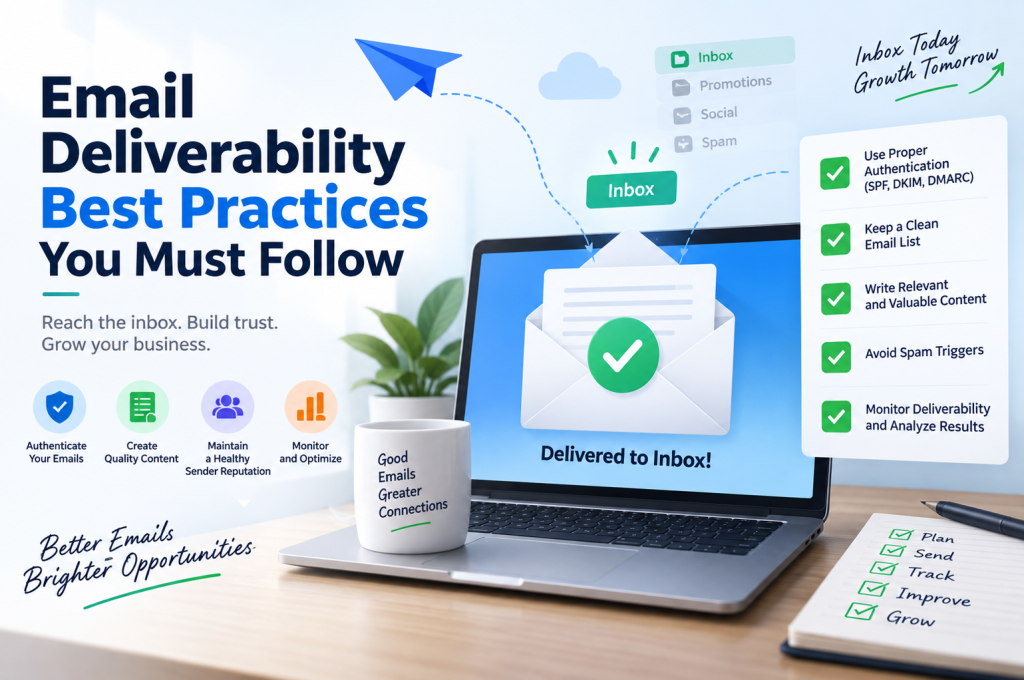
Email marketing only works when your emails actually reach people.
That sounds obvious, but successful email delivery is more complicated than hitting “send”. Mailbox providers assess your sending domain, authentication, sender reputation, subscriber behaviour and numerous other signals before deciding whether a message deserves the inbox, the spam folder, or rejection altogether.
The quick version: Strong email deliverability comes down to sending authenticated emails to people who genuinely want them, maintaining a clean and engaged subscriber list, building a trustworthy domain and IP reputation, and continually monitoring what happens after you send. SPF, DKIM and DMARC should be configured correctly; spam complaints and bounces should be kept low; inactive subscribers should be managed rather than ignored; and email content should consistently meet the expectations established when someone subscribed.
Getting these fundamentals right doesn’t merely improve an email marketing metric. Better inbox placement means more of the audience you’ve worked hard to acquire can actually see your campaigns.
And that matters whether those subscribers arrived through organic search, PPC campaigns, social media, referrals or directly through your website.
What Is Email Deliverability?
Email deliverability is the ability of an email sender to successfully place messages in recipients’ inboxes.
There is an important distinction here.
An email can technically be delivered without reaching the inbox. If a receiving server accepts your message but subsequently places it in the junk or spam folder, you’ve achieved email delivery — but poor inbox placement.
Think of it like this:
- Email sent — your email service provider (ESP) sends the message.
- Email accepted — the recipient’s server accepts it rather than rejecting or bouncing it.
- Email filtered — the mailbox provider evaluates the sender and message.
- Email placed — the message reaches the inbox, promotions tab, junk folder or another destination.
- Subscriber responds — the recipient opens, reads, clicks, ignores, deletes, unsubscribes or marks the email as spam.
That final behaviour can influence what happens to future campaigns.
Mailbox providers / MBPs want to protect their users from unwanted email. Consequently, good email deliverability isn’t achieved through one clever technical trick. It’s the cumulative result of your email sending reputation, authentication, list quality, subscriber engagement and sending behaviour.
Delivery Rate vs Deliverability Rate
These terms are often treated as interchangeable, but they describe different things.
Delivery rate tells you how many sent messages were accepted by receiving servers rather than bouncing.
Deliverability, on the other hand, concerns where accepted messages ultimately end up.
You could therefore have an impressive delivery rate while still experiencing poor inbox placement.
For example, imagine sending 10,000 emails. Almost all are accepted, giving you an apparently healthy delivery rate. But if a substantial proportion are filtered into spam, the headline delivery figure disguises a serious problem.
That’s why looking at email health through a single KPI can be misleading.
Why Email Deliverability Matters More Than Most Businesses Realise
Consider everything that happens before somebody joins your email list.
Perhaps they discover your company through Google. They visit several pages, read your content, compare your offer and eventually subscribe. Maybe considerable time and money went into the SEO strategy that brought them there in the first place.
Then you send your next campaign.
It lands in spam.
All that acquisition effort has produced an email address you can technically contact but may struggle to reach.
The same principle applies to ecommerce campaigns, newsletters, lead nurturing, abandoned-basket emails, product announcements and promotional sequences. Poor deliverability quietly reduces the value of the audience you’ve built.
Strong deliverability, meanwhile, creates a healthier cycle:
Better list quality → stronger engagement → healthier sender reputation → improved inbox placement → more opportunities for engagement.
The opposite can happen just as easily:
Poor acquisition practices → disengaged subscribers → low engagement and complaints → damaged reputation → worse inbox placement.
This is why deliverability shouldn’t be treated as an isolated “email marketing problem”. Your website, acquisition strategy, forms, consent process, email infrastructure and content all feed into it.
1. Start With Sender Reputation
If there is one concept worth understanding before diving into individual email deliverability best practices, it is sender reputation.
Mailbox providers need to decide whether they can trust the email coming from you. To help make that decision, they can evaluate signals associated with your sending activity.
These can include:
- spam complaints;
- hard and soft bounces;
- sending patterns and volume;
- authentication;
- subscriber engagement;
- historical sending behaviour;
- domain reputation;
- IP reputation;
- blocklist history; and
- how recipients interact with your messages.
Your exact reputation isn’t necessarily represented by one universal “sender score”. Different mailbox providers can evaluate senders using their own systems and signals.
What matters is the underlying principle: your behaviour creates a history.
If you consistently send permission-based email to engaged subscribers, properly authenticate your messages and quickly deal with problematic addresses, you provide much healthier signals than a sender blasting poorly maintained databases with unwanted promotions.
Domain Reputation and IP Reputation
Two concepts you’ll frequently encounter are domain reputation and IP reputation.
Your domain reputation is associated with the domain used to send your emails. Your IP reputation concerns the IP address from which email is being sent.
Depending on your email infrastructure and ESP, you might send from a shared IP, where multiple senders use the same underlying infrastructure, or a dedicated IP address, which is assigned specifically to your sending operation.
A dedicated IP isn’t automatically better.
It gives a sender greater control over their IP reputation, but it also means they are responsible for building and maintaining that reputation. New dedicated IPs may require an IP warm-up, with sending volume introduced gradually rather than suddenly pushing huge quantities of email through an IP with little or no established history.
Domain warming follows a related principle: establish trustworthy, consistent sending behaviour instead of generating abrupt, suspicious-looking changes.
Key point: You cannot compensate for poor subscriber practices with infrastructure alone. A dedicated IP, pristine DNS configuration and sophisticated ESP won’t make recipients want email they never asked for.
2. Authenticate Your Email Properly
One of the most important technical steps you can take to improve email deliverability is implementing email authentication.
Authentication helps receiving systems establish whether an email claiming to come from your domain is genuinely authorised to do so.
Three acronyms dominate this conversation:
- SPF — Sender Policy Framework
- DKIM — DomainKeys Identified Mail
- DMARC — Domain-based Message Authentication, Reporting and Conformance
They perform different jobs and are strongest when used together.
What Is SPF?
Sender Policy Framework (SPF) allows a domain owner to specify which mail servers are authorised to send email on behalf of that domain.
This information is published through your domain’s DNS records.
When a receiving system gets an email, it can check whether the sending infrastructure is permitted according to the domain’s SPF configuration.
SPF is therefore an important part of domain authentication, but it shouldn’t be treated as the entire solution.
What Is DKIM?
DomainKeys Identified Mail (DKIM) adds a cryptographic signature to outgoing email.
The receiving system can use the corresponding information published in DNS to verify that signature. In simplified terms, this helps establish that the email was authorised by the relevant domain and that signed portions of the message haven’t been improperly altered in transit.
Correct DKIM configuration contributes to a more trustworthy email setup and plays an important role in DMARC.
What Is DMARC?
Domain-based Message Authentication, Reporting and Conformance (DMARC) builds on SPF and DKIM.
DMARC allows domain owners to publish a policy describing how participating receivers should handle messages that fail the required authentication and alignment checks. It also provides reporting mechanisms that can give domain owners valuable visibility into email being sent using their domain.
Depending on the configuration, a DMARC policy can progress through approaches commonly described as:
p=none— monitor;p=quarantine— request that failing mail be treated suspiciously; andp=reject— request rejection of mail that fails the applicable DMARC checks.
DMARC isn’t simply a record you should paste into DNS without understanding it. SPF alignment, DKIM alignment, legitimate sending services and existing mail flows need to be considered before enforcing a restrictive policy.
For a business, this technical work also connects back to the wider digital infrastructure. A well-built business website might generate leads efficiently, but the experience shouldn’t break the moment those leads enter an email sequence.
SPF, DKIM and DMARC Work Together
A useful way to understand the relationship is:
| Authentication method | Primary role |
|---|---|
| SPF | Identifies infrastructure authorised to send mail for a domain |
| DKIM | Cryptographically signs email so the signature can be verified |
| DMARC | Uses authentication and alignment to establish policy and provide reporting |
The goal isn’t to sprinkle three fashionable acronyms across your DNS settings. It’s to establish a properly authenticated sending domain that mailbox providers can evaluate with greater confidence.
And authentication is only the beginning.
A technically immaculate sender can still develop serious deliverability issues by emailing people who don’t want to hear from them. That brings us to one of the most consequential areas of email deliverability: who is actually on your list, how they got there and whether they still want your emails.
3. Build a Clean Email List — Don’t Simply Build a Big One
A large email database can look impressive on a dashboard.
But size means very little if half the people on that list haven’t opened an email in two years, addresses are bouncing, recipients don’t remember subscribing, or your campaigns regularly generate spam complaints.
For deliverability, quality beats quantity.
Good list hygiene means actively maintaining your subscriber database rather than treating every email address you’ve ever collected as permanently valuable.
A healthy email list should predominantly contain people who:
- knowingly subscribed;
- understand what they’ve signed up to receive;
- have valid email addresses;
- haven’t repeatedly bounced;
- haven’t unsubscribed;
- aren’t generating spam complaints; and
- demonstrate at least some meaningful level of subscriber engagement.
This is where email list cleaning becomes important.
Invalid addresses, persistent hard bounces and other clearly undeliverable contacts should not remain part of your normal sending audience indefinitely. Likewise, inactive subscribers need to be identified and handled deliberately rather than endlessly emailed because removing them would make the database look smaller.
A clean email list of 10,000 interested subscribers can be far more valuable than a database of 50,000 people who barely recognise your name.
Never Buy an Email List
Purchased email lists create an obvious temptation.
Why spend months acquiring subscribers when somebody is offering thousands of addresses immediately?
Because an email address is not the same thing as permission.
The people on a purchased list generally didn’t specifically ask your business to email them. That immediately undermines one of the foundations of sustainable deliverability: permission-based email.
Purchased databases can also contain:
- old or abandoned addresses;
- invalid email addresses;
- uninterested recipients;
- addresses collected without suitable consent;
- spam traps; and
- contacts who are highly likely to ignore, delete or report unexpected messages.
Even if a campaign technically reaches some of those recipients, their subsequent behaviour may damage your email sending reputation.
Building a smaller audience that actually wants to hear from you is the better long-term strategy.
4. Make Opt-In Clear From the Beginning
Good email deliverability begins before the first email is sent.
It begins with the signup.
People should understand what they’re agreeing to receive. If someone believes they’re requesting a downloadable guide but subsequently finds themselves receiving several promotional emails every week, you’ve created a mismatch between subscriber expectations and your sending behaviour.
That mismatch matters.
A recipient who doesn’t recognise you might ignore your emails. They might unsubscribe. Worse, they might use the spam button as their unsubscribe mechanism.
Clear opt-in practices reduce that ambiguity.
Your signup process should communicate what people are joining, what kind of content they’ll receive and, where appropriate, how frequently they can expect to hear from you.
Should You Use Double Opt-In?
A double opt-in, sometimes called confirmed opt-in, adds an additional verification step after somebody enters their email address.
A typical process looks like this:
- A person submits your signup form.
- Your system sends a confirmation email.
- The recipient clicks a verification link.
- Their subscription is confirmed.
- They begin receiving the emails they requested.
The extra step introduces friction, which means some people won’t complete it.
But it also provides a valuable quality check.
Double opt-in helps confirm that the email address is valid and that the person with access to that inbox genuinely wants to subscribe. It can reduce accidental or mistyped signups and create a cleaner foundation for future email engagement.
Whether it is appropriate for every business and every signup flow will depend on the circumstances, but the principle behind it is worth remembering:
An engaged subscriber who deliberately asked to hear from you is worth considerably more than an email address collected simply to increase a database count.
5. Make Unsubscribing Easy
Trying to make unsubscribing difficult is usually counterproductive.
If somebody no longer wants your emails, give them an obvious way out.
Hiding the unsubscribe link, using tiny text, creating a confusing series of preference screens or forcing unnecessary hurdles doesn’t transform an uninterested recipient into an engaged customer.
It can simply turn an unsubscribe into a spam complaint.
A visible, functional unsubscribe mechanism therefore isn’t something to fear. It is part of maintaining a healthier audience.
Where relevant to your sending environment and requirements, one-click unsubscribe can make the process even simpler.
You can also consider a preference centre that allows subscribers to control what they receive. Someone might not want a daily promotional email but could still be interested in a monthly newsletter, important announcements or a particular category of content.
Giving people meaningful subscriber preferences can sometimes retain a relationship that an all-or-nothing subscription model would lose.
But don’t use a preference centre to trap people.
If someone wants to unsubscribe completely, let them.
6. Understand Your Bounce Rate
Not every email you send will be delivered successfully.
A bounce occurs when an email cannot be successfully delivered to the intended recipient. Understanding why messages bounce is important because persistent delivery failures can indicate problems with list quality.
Two terms matter here: hard bounce and soft bounce.
Hard Bounces
A hard bounce generally represents a permanent delivery failure.
Examples can include situations where:
- the recipient’s address doesn’t exist;
- the domain doesn’t exist; or
- the receiving system permanently rejects delivery.
Repeatedly sending to addresses known to be permanently undeliverable is not useful. Your ESP will often suppress hard-bounced addresses automatically, but you should still monitor what is happening.
A sudden increase in hard bounces deserves investigation.
Where did those addresses come from?
Has an old database suddenly been imported?
Are signup forms attracting low-quality or incorrectly entered addresses?
Is there a problem with how data is being collected?
Your hard bounce rate can tell you something about the health of the underlying list — not merely the performance of a particular campaign.
Soft Bounces
A soft bounce is generally associated with a temporary delivery problem.
The mailbox might be full, the receiving server may be temporarily unavailable, or the message may encounter another temporary obstacle.
That doesn’t mean soft bounces should be ignored indefinitely.
If an address repeatedly produces delivery failures, your email service provider may eventually suppress it or treat the problem differently. What matters is recognising patterns rather than looking at one campaign in isolation.
Don’t Obsess Over One Metric
Bounce rate is useful, but it belongs alongside other email KPIs, including:
- delivery rate;
- spam complaint rate;
- unsubscribe rate;
- click rate and click-through rate;
- engagement rate; and
- inbox placement indicators.
Historically, marketers have also placed enormous emphasis on open rate. Opens can still provide useful directional information in some contexts, but they shouldn’t be treated as a flawless measurement of human engagement.
The broader pattern matters more.
Are people clicking?
Are they replying?
Are they visiting your website?
Are they converting?
Are complaints increasing?
Are large sections of your audience doing absolutely nothing?
Deliverability monitoring should look for trends across several signals instead of reducing email health to one attractive percentage.
7. Don’t Ignore Inactive Subscribers
Every mature email list accumulates inactivity.
Some subscribers change jobs. Some stop using an address. Some lose interest in the subject. Others still use their inbox but have simply stopped paying attention to you.
Continuing to email every inactive subscriber forever can gradually fill your list with people who demonstrate little or no positive engagement.
That’s why it helps to define what an inactive subscriber actually means for your business.
It might be someone who hasn’t demonstrated meaningful engagement for a certain period or across a certain number of campaigns. The appropriate definition will vary according to your sending frequency and customer lifecycle.
A retailer sending several emails each week and a B2B company sending a quarterly newsletter shouldn’t necessarily define inactivity in the same way.
Once you’ve identified genuinely dormant subscribers, you have choices.
Try a Re-Engagement Campaign
Before suppressing inactive contacts, consider a targeted re-engagement campaign.
Don’t simply send another version of the same promotional message they’ve already ignored.
Give them a reason to respond.
You might:
- ask whether they still want to receive your emails;
- invite them to update their subscriber preferences;
- remind them what they’ll receive by staying subscribed;
- offer a genuinely useful piece of content;
- change the subject line and messaging approach; or
- clearly explain that you’ll stop emailing if they’re no longer interested.
The goal isn’t to artificially manufacture an open.
It’s to determine whether there is still a meaningful relationship.
If subscribers remain completely disengaged after a sensible re-engagement process, a sunset policy can establish when those contacts are suppressed from regular campaigns.
That can feel uncomfortable.
Marketing databases tend to be celebrated when they grow and questioned when they shrink.
But removing or suppressing chronically disengaged addresses isn’t necessarily losing an audience. In many cases, you’re acknowledging that those people had already stopped being an audience.
8. Watch Your Spam Complaint Rate Closely
Few subscriber actions communicate dissatisfaction as clearly as clicking “Report spam.”
Spam complaints matter because mailbox providers can use them as a signal that recipients don’t want the email they’re receiving.
And this is where marketers sometimes make a costly assumption:
An email doesn’t need to be fraudulent or malicious for a recipient to consider it spam. It simply needs to feel unwanted.
Someone may have genuinely subscribed six months ago and forgotten.
They may believe you’re emailing too frequently.
They might not recognise your sender name.
The content may have drifted away from what they originally requested.
Or your unsubscribe process may be so inconvenient that clicking the spam button feels easier.
This is why a rising spam complaint rate should prompt investigation rather than simply being written off as difficult subscribers.
Look at:
- how addresses were acquired;
- what subscribers were originally promised;
- sending frequency;
- sender name and recognition;
- recent changes in email content;
- audience segmentation;
- unsubscribe accessibility; and
- whether campaigns are reaching the right people.
Where available, feedback loops (FBLs) can also help senders receive information about complaints generated by recipients at participating mailbox providers.
The objective is simple: don’t continue sending unwanted email and expect authentication alone to protect your reputation.
9. Send Relevant Email to the Right People
You could authenticate every message perfectly, maintain immaculate DNS records and carefully remove hard bounces — then undermine all of that work by repeatedly sending irrelevant content.
Good email marketing isn’t simply about whether you send.
It is about what you send, who receives it and why they should care.
This is where email segmentation becomes powerful.
Instead of treating every subscriber as identical, audiences can be segmented using relevant information such as:
- interests;
- previous interactions;
- customer status;
- purchase behaviour;
- lifecycle stage;
- expressed preferences;
- geographic relevance, where appropriate; or
- meaningful engagement history.
Segmentation creates opportunities to send more relevant content rather than forcing one generic campaign onto everyone.
For example, a long-standing customer might need a different message from a brand-new lead. Someone who has shown interest in one service doesn’t necessarily need repeated promotions for an unrelated one.
Personalized content can take this further, provided the personalisation genuinely makes the email more useful rather than merely inserting someone’s first name into a generic sales pitch.
The question worth asking before every campaign is remarkably simple:
Why should this particular subscriber want this particular email right now?
If you can’t give a convincing answer, reconsider the send.
10. Be Consistent With Sending Frequency
Email frequency creates another balancing act.
Send too rarely and subscribers may forget who you are.
Send excessively and even enthusiastic subscribers can become fatigued.
There is no universal perfect sending frequency. The right cadence depends on what subscribers signed up for, the value of the content, the type of business and the expectations established at the point of subscription.
A daily email can be entirely appropriate when somebody knowingly signs up for a daily briefing.
A daily promotional email might feel relentless when somebody expected occasional updates.
Consistency also matters at the infrastructure level. Dramatic, unexplained changes in sending volume can deserve attention, particularly when warming new infrastructure or significantly expanding a programme.
The aim should be a sensible sending cadence supported by genuine subscriber demand.
At this stage, the pattern behind strong email deliverability should be becoming clear.
Technical configuration establishes trust.
List hygiene protects quality.
Permission establishes legitimacy.
Relevant email encourages positive engagement.
But even when all of those foundations are in place, the job isn’t finished. The next step is understanding how your email content, subject lines, testing and ongoing deliverability monitoring can influence whether campaigns continue reaching the inbox.
11. Create Email Content People Actually Want to Receive
Deliverability can sound intensely technical.
DNS records. Authentication. IP reputation. Bounce management. Feedback loops.
Yet one of the most effective things you can do is much simpler:
Send emails people genuinely want.
Relevant email content encourages the kinds of interactions you want from subscribers. Irrelevant, repetitive or excessively promotional messages can encourage the opposite — ignoring, deleting, unsubscribing and spam complaints.
That doesn’t mean every email needs to be an editorial masterpiece.
It means there should be a clear reason for sending it.
Before scheduling a campaign, ask:
- What does the subscriber gain from receiving this?
- Does the message match why they originally subscribed?
- Is it appropriate for this audience segment?
- Is there a clear purpose?
- Are we sending because we have something worthwhile to say, or simply because the marketing calendar says Tuesday?
That last question is particularly useful.
A sending schedule should create consistency, not an obligation to manufacture email for the sake of maintaining volume.
Keep the Promise Made at Signup
Subscriber expectations begin when someone joins your list.
If you promise weekly practical advice, suddenly sending daily sales promotions changes the relationship.
If someone signs up specifically for product updates, unrelated content may feel equally out of place.
Strong email engagement therefore begins with alignment between what subscribers requested and what you subsequently deliver.
Your sender name should also be recognisable and consistent. Recipients shouldn’t need detective skills to work out why a mysterious company has appeared in their inbox.
Recognition builds trust.
Confusion creates friction.
12. Treat Subject Lines as a Promise, Not a Trick
The subject line has an unusually difficult job.
It needs to earn attention in a crowded inbox without misrepresenting what follows.
That makes subject-line testing useful, but optimisation shouldn’t become manipulation.
A subject line that generates curiosity and accurately represents the email can encourage useful engagement. A misleading subject line might generate an initial open while simultaneously disappointing the recipient.
Examples of practices worth avoiding include:
- pretending an email is a reply when it isn’t;
- manufacturing false urgency;
- implying a relationship that doesn’t exist;
- making promises the email doesn’t fulfil;
- using deceptive
RE:orFWD:conventions; and - sensationalising ordinary promotions simply to attract attention.
The objective isn’t to outsmart spam filters with the perfect collection of words.
It’s to make the email appealing to the recipient.
What About Spam Trigger Words?
You’ll often encounter lists of supposed spam trigger words that should never appear in an email.
Reality is more nuanced.
Modern spam filtering doesn’t simply depend on whether one particular promotional word appears in a subject line. Mailbox providers can evaluate numerous signals surrounding the sender, infrastructure, message and recipient behaviour.
So don’t write unnatural copy because you’re terrified of using words such as “free” or “offer”.
Instead, look at the entire picture:
Who are you emailing? Did they ask for it? Is the sender authenticated? What is your reputation? Does the message look trustworthy? How do recipients normally respond to your emails?
Context matters.
13. Design Emails for Real People on Real Devices
Email content needs to function once somebody opens it.
A campaign that looks fantastic on a desktop monitor but becomes unreadable on a phone creates a poor subscriber experience.
That makes mobile optimisation, email rendering and email preview testing useful parts of the campaign process.
Before a significant send, check elements such as:
- subject line and preview text;
- sender name and reply address;
- mobile rendering;
- desktop rendering;
- image display and alternative text;
- links and buttons;
- landing-page destinations;
- unsubscribe functionality; and
- overall readability.
Keep the message structurally sensible, too.
Huge images, broken HTML, inaccessible layouts and confusing link structures aren’t exactly invitations to engage.
And don’t forget the destination.
If an email promises something valuable but sends subscribers to a slow, confusing or irrelevant landing page, the experience doesn’t suddenly stop being part of email marketing because the recipient has left their inbox.
Deliverability gets someone through the door. The experience after the click still needs to justify their attention.
14. Use A/B Testing to Learn — Not Just to Chase Opens
A/B testing can help you understand how different approaches affect campaign performance.
You might test:
- subject lines;
- preview text;
- calls to action;
- email layouts;
- content length;
- offers;
- personalization;
- sending times; or
- different messaging approaches.
But useful experimentation requires discipline.
Changing five things simultaneously and declaring the winning email “better” doesn’t tell you which change produced the result.
Instead, begin with a hypothesis.
For example:
We believe a benefit-led subject line will generate more meaningful engagement than a curiosity-led subject line for this audience.
Then define what “meaningful engagement” actually means.
An open may not be the ultimate objective. If one variation produces more opens but fewer clicks, while another generates fewer opens but substantially more qualified website visits or conversions, the second email may be more commercially valuable.
A/B testing should therefore connect email metrics to actual business outcomes.
15. Test Deliverability Before Problems Become Obvious
You shouldn’t need a catastrophic drop in campaign performance before investigating email health.
Regular email testing can reveal warning signs earlier.
Depending on the size and sophistication of your programme, this might include:
- spam testing;
- email preview testing;
- authentication checks;
- blocklist monitoring;
- bounce monitoring;
- complaint monitoring;
- seed testing;
- inbox testing; and
- inbox placement testing.
A seed list contains controlled addresses across different mailbox providers that can be used to examine where test messages are being placed.
This can provide useful diagnostic information, although seed testing shouldn’t be mistaken for a perfect representation of how every real subscriber will experience a campaign.
Real-world inbox placement can be influenced by recipient-specific factors and engagement history.
Treat testing as evidence — not clairvoyance.
16. Monitor Your Sender Reputation Over Time
Deliverability isn’t a project you complete once.
You don’t configure SPF, DKIM and DMARC on Monday and declare email deliverability “finished” on Tuesday.
Reputation changes.
Lists age.
Subscriber behaviour changes.
Infrastructure changes.
Campaign strategy changes.
Mailbox-provider requirements change.
That makes reputation monitoring and deliverability monitoring ongoing responsibilities.
Where relevant to your sending environment, tools and data sources such as Gmail Postmaster Tools, Microsoft SNDS, your ESP’s reporting, DMARC reports and available feedback loops can contribute to a broader picture of email health.
No single dashboard necessarily tells the entire story.
A sender reputation score or sender score can be a useful diagnostic indicator, but don’t mistake one number from one system for a universal verdict on your ability to reach every inbox.
Look for patterns across multiple signals.
Metrics Worth Watching
A practical deliverability dashboard might monitor:
| Signal | What it can help reveal |
|---|---|
| Delivery rate | How much email is being accepted rather than bounced |
| Hard bounce rate | Potential list-quality or address problems |
| Soft bounce rate | Temporary or recurring delivery problems |
| Spam complaint rate | Whether recipients are actively rejecting your mail |
| Unsubscribe rate | Whether subscribers still want the communication |
| Click-through rate | Evidence of meaningful engagement |
| Engagement trends | Whether audience interest is strengthening or declining |
| Inbox placement testing | Where controlled test messages are being placed |
| Authentication results | Whether SPF, DKIM and DMARC are behaving as intended |
| Domain/IP reputation indicators | Potential reputation deterioration |
The important word here is trend.
One campaign performing differently isn’t necessarily a crisis.
A persistent deterioration deserves attention.
17. Pay Attention to Sudden Changes
Deliverability problems often have a cause.
If inbox performance changes dramatically, ask what changed immediately beforehand.
Did you:
- migrate to a different ESP?
- change sending domains?
- introduce a dedicated IP?
- increase sending volume substantially?
- import an old subscriber database?
- start emailing inactive contacts?
- alter authentication records?
- change your sender address?
- begin sending much more frequently?
- launch a new acquisition source?
- experience a spike in bounces or complaints?
This is essentially email deliverability troubleshooting: compare the symptoms with recent changes and investigate systematically.
Don’t randomly alter ten settings at once.
Doing so can make it difficult to identify what actually caused the problem — or what fixed it.
18. Warm New Sending Infrastructure Carefully
If you’re introducing a new dedicated IP address or significantly changing sending infrastructure, resist the temptation to move your entire volume across immediately.
IP warming involves establishing sending history gradually.
Rather than suddenly sending enormous quantities of email from infrastructure with little reputation history, volume can be introduced progressively while performance is monitored.
A similar principle applies to domain warming.
Start with appropriate, permission-based audiences — ideally people most likely to recognise and engage with your email — and monitor delivery signals as volume develops.
The precise warming plan depends on your sending volume, infrastructure, ESP and circumstances, so avoid treating a generic daily schedule as universally applicable.
The principle is more important:
Build reputation rather than assuming it exists.
19. Don’t Assume a New ESP Will Magically Fix Deliverability
When email performance deteriorates, changing your email service provider can look like an appealing reset button.
Sometimes infrastructure genuinely is part of the problem.
But moving ESPs doesn’t automatically repair poor sending behaviour.
If the underlying problem is:
- low-quality acquisition;
- purchased email lists;
- poor consent;
- excessive sending;
- weak subscriber engagement;
- persistent spam complaints;
- outdated contacts; or
- irrelevant content,
then moving those practices to a shiny new platform simply relocates the problem.
Your email service provider / ESP supplies infrastructure and tooling. Your behaviour still matters.
Before migrating, establish what is actually wrong.
20. Remember That Deliverability Is an Ecosystem
It is tempting to search for the thing that determines whether an email reaches the inbox.
There isn’t one.
Think of email deliverability as an interconnected system:
Authentication establishes legitimacy.
Sender reputation reflects historical behaviour.
List hygiene reduces problematic addresses.
Permission establishes whether people genuinely asked to hear from you.
Segmentation increases relevance.
Email content gives recipients a reason to engage.
Sending frequency influences subscriber expectations and fatigue.
Bounce management protects list quality.
Complaint monitoring reveals unwanted email.
Testing and monitoring help identify problems before they become severe.
Neglect enough of those areas and deliverability can deteriorate.
Manage them collectively and you’re giving mailbox providers far better reasons to trust your mail — while giving subscribers better reasons to want it.
Email Deliverability Best Practices Checklist
If you want a practical framework rather than another hundred technical terms, start here.
Authentication and Infrastructure
- Configure SPF correctly.
- Configure DKIM correctly.
- Implement an appropriate DMARC policy and reporting process.
- Check SPF, DKIM and DMARC alignment where relevant.
- Understand which domains and infrastructure are sending on your behalf.
- Monitor domain reputation and IP reputation.
- Warm new dedicated IPs and sending domains appropriately.
- Investigate unexpected changes in sending volume.
Subscriber Acquisition and List Hygiene
- Only email people you have an appropriate basis to contact.
- Make opt-in language clear.
- Consider double opt-in where appropriate.
- Never rely on purchased email lists as a shortcut to audience growth.
- Maintain regular email list cleaning processes.
- Remove or suppress permanently invalid addresses.
- Monitor hard and soft bounces.
- Identify inactive subscribers.
- Use re-engagement campaigns where appropriate.
- Establish a sensible sunset policy for persistently disengaged contacts.
Content and Engagement
- Set clear expectations when subscribers join.
- Send relevant content.
- Use email segmentation where it improves relevance.
- Personalize when personalization genuinely adds value.
- Keep sender names recognisable.
- Write accurate, useful subject lines.
- Avoid deceptive tactics designed purely to generate opens.
- Test emails across appropriate devices and environments.
- Check every important link before sending.
- Maintain a sensible sending frequency.
Unsubscribes and Complaints
- Include a clear unsubscribe mechanism.
- Support one-click unsubscribe where applicable.
- Make subscriber preferences easy to understand.
- Monitor unsubscribe trends.
- Monitor spam complaints closely.
- Investigate sudden increases in complaint rates.
- Stop repeatedly emailing people who clearly don’t want your messages.
Testing and Monitoring
- Monitor delivery rate.
- Track bounce trends.
- Track spam complaint rate.
- Review meaningful engagement rather than relying on opens alone.
- Use A/B testing with a clear hypothesis.
- Conduct inbox or seed testing when appropriate.
- Monitor authentication results.
- Review available reputation information.
- Investigate sudden deliverability changes systematically.
Common Email Deliverability Mistakes to Avoid
If you’re troubleshooting poor inbox placement, these are useful places to look first:
- Buying email addresses instead of earning subscribers.
- Sending to old databases without checking list quality.
- Failing to configure SPF, DKIM or DMARC properly.
- Ignoring hard bounces and recurring delivery failures.
- Continuing to blast inactive subscribers indefinitely.
- Making the unsubscribe process deliberately difficult.
- Sending far more frequently than subscribers expected.
- Using misleading subject lines to manufacture engagement.
- Suddenly increasing sending volume without considering reputation.
- Treating open rate as the only measure of email success.
- Ignoring spam complaints until performance collapses.
- Assuming changing ESPs will fix poor sending practices.
Notice how few of these problems are solved by hunting for a secret setting.
Most come back to trust.
How to Improve Email Deliverability When Something Goes Wrong
If your inbox placement appears to be deteriorating, avoid panic-driven changes.
Work methodically.
First, establish the scale of the problem. Is it affecting every campaign, one domain, one mailbox provider, one audience segment or a particular type of email?
Second, inspect authentication. Confirm that SPF, DKIM and DMARC are working as intended and that recent DNS or infrastructure changes haven’t introduced unexpected problems.
Third, inspect list quality. Look for unusual bounce activity, recently imported contacts, old databases and changes in subscriber acquisition.
Fourth, examine complaints and engagement. Have spam complaints increased? Has meaningful engagement declined? Are you sending more frequently?
Fifth, identify recent operational changes. New ESP? New sending domain? New IP? New campaign type? New acquisition source? Dramatically higher volume?
Finally, make controlled changes and monitor the result.
Deliverability troubleshooting becomes much harder when everything is changed simultaneously.
The Best Deliverability Strategy Is to Become a Sender People Want in Their Inbox
There is a revealing theme running through nearly every best practice in this guide.
Good deliverability and good email marketing usually point in the same direction.
Mailbox providers want to protect users from unwanted email.
Subscribers want useful, relevant communication from organisations they recognise.
Responsible senders want engaged audiences who actually read, click and act.
Those interests aren’t fundamentally opposed.
So while SPF, DKIM, DMARC, DNS records, IP warm-up, feedback loops and inbox placement testing absolutely matter, don’t lose sight of the person at the other end of the email address.
They aren’t a “contact”.
They’re the person making the ultimate decision about whether your emails deserve attention.
Final Thoughts
The strongest email deliverability strategy isn’t a trick for beating spam filters.
It’s a long-term commitment to authentication, permission, relevance, reputation and measurement.
Authenticate your sending infrastructure properly. Build your database through genuine opt-in. Keep that database clean. Watch your bounce rate and spam complaints. Make unsubscribing straightforward. Segment where it improves relevance. Send useful email at an appropriate frequency. Test what you’re doing. Monitor the results.
And when performance changes, investigate rather than guess.
Do those things consistently and you’re not merely trying to improve email deliverability.
You’re building something considerably more valuable: a trustworthy email programme that subscribers recognise, mailbox providers can evaluate confidently, and your business can rely on for the long term.
Frequently Asked Questions About Email Deliverability
1. What Is a Good Email Deliverability Rate?
There isn’t one universal percentage that proves your email programme has excellent deliverability. A high delivery rate only shows that receiving servers accepted most of your messages; it doesn’t tell you how many reached the primary inbox rather than a spam or junk folder.
For that reason, businesses should look beyond a single deliverability benchmark. Monitor inbox placement, bounce rates, spam complaints, unsubscribes, click-through rates and broader subscriber engagement together. Trends over time are often more informative than chasing one supposedly perfect percentage.
2. How Long Does It Take to Improve Email Deliverability?
There is no fixed recovery period. How quickly you can improve email deliverability depends on what caused the problem, the severity of any reputation damage and the changes you make.
Correcting a technical configuration problem may produce improvements relatively quickly. Rebuilding a damaged sender reputation can take considerably longer because mailbox providers need to observe healthier sending behaviour over time.
Rather than expecting an overnight reset, concentrate on consistent improvements: authenticate email correctly, remove problematic addresses, reduce complaints, send to engaged subscribers and monitor performance.
3. Why Are My Emails Going to Spam Even Though I Have SPF, DKIM and DMARC?
Email authentication is essential, but authentication alone doesn’t guarantee inbox placement.
Mailbox providers can consider many other signals, including your domain reputation, IP reputation, spam complaint rate, sending behaviour, subscriber engagement and list quality.
An authenticated email can therefore still reach the spam folder if recipients regularly ignore or report your messages, your database contains poor-quality contacts, your reputation has deteriorated or other filtering signals indicate that the email may be unwanted.
Think of SPF, DKIM and DMARC as important foundations — not an automatic ticket to the inbox.
4. Does Email Deliverability Affect Revenue?
It certainly can.
If marketing emails are filtered into spam or rejected, fewer subscribers have an opportunity to see your offers, content and calls to action. That can reduce website visits, enquiries, purchases and other conversions generated through email.
Consider a campaign with a commercially valuable offer. Improving the subject line or call to action won’t achieve much if a substantial portion of the intended audience never sees the message.
This is why email deliverability should be viewed as more than a technical KPI. Inbox placement determines how much of your email audience you actually have an opportunity to reach.
5. Can Too Many Images Hurt Email Deliverability?
Images aren’t automatically bad for deliverability, and there is no universal image-to-text ratio that guarantees inbox placement.
However, an email consisting almost entirely of images can create other problems. Images may be blocked, important information can become inaccessible, large files can make the message cumbersome, and recipients using assistive technologies may struggle if appropriate alternative text isn’t provided.
Use images because they improve the message — not because you’re trying to hide text from spam filters. Keep file sizes sensible, include useful written content and test email rendering across relevant devices and mailbox environments.
6. Do Links Affect Email Deliverability?
They can contribute to how an email is evaluated.
Links should lead to trustworthy, relevant destinations and behave exactly as recipients expect. Excessive, misleading, broken or suspicious links can create a poor experience and potentially contribute to filtering concerns.
Pay particular attention to third-party tracking and shortened URLs. Before a campaign goes out, test important links and make sure redirects work correctly.
The destination matters too. Sending recipients to a suspicious, compromised or misleading website is unlikely to build trust with either subscribers or the systems protecting their inboxes.
7. Should I Use a Separate Domain or Subdomain for Marketing Emails?
Some organisations separate different types of email using dedicated subdomains or sending domains. This can make email infrastructure easier to organise and may help separate reputation between different mail streams.
For example, marketing campaigns and transactional messages such as account notifications may have very different sending patterns and subscriber interactions.
However, simply creating a new subdomain doesn’t guarantee good deliverability. It still needs appropriate domain authentication, correct DNS configuration and healthy sending practices.
Changing domains repeatedly to escape an existing reputation problem is particularly poor practice. Fix the behaviour causing the reputation issue rather than attempting to outrun it.
8. Can Sending Emails From a No-Reply Address Hurt Deliverability?
Using a no-reply address doesn’t automatically mean your emails will go to spam, but it can create a less welcoming subscriber experience.
Replies can be valuable signs of genuine engagement, and allowing recipients to contact a monitored inbox gives them a straightforward way to ask questions or respond to your content.
Where practical, consider using a recognisable sender identity and an address capable of receiving legitimate responses.
Whatever address you choose, consistency matters. Subscribers should be able to recognise who the email is from and why they’re receiving it.
9. What Should I Do If My Domain or IP Is on an Email Blocklist?
First, establish which blocklist has listed you and why.
Not every blocklist carries the same significance, so appearing on one shouldn’t automatically trigger panic. Investigate the underlying cause before concentrating solely on removal.
Check for potential issues such as compromised accounts, unauthorised sending, poor list acquisition, high bounce rates, spam complaints or infrastructure problems. If the relevant blocklist provides a legitimate removal or remediation process, follow its instructions once you’ve addressed the underlying problem.
Simply obtaining delisting without fixing the cause risks ending up in exactly the same position again.
10. How Often Should I Audit Email Deliverability?
Deliverability should be monitored continuously, with more comprehensive deliverability audits carried out periodically and whenever something significant changes.
A deeper review is particularly worthwhile after changing your ESP, sending domain or infrastructure; substantially increasing email volume; importing a new database; or noticing unusual changes in bounces, complaints or inbox placement.
A useful audit should examine SPF, DKIM and DMARC authentication, domain and IP reputation, list hygiene, consent practices, bounce trends, spam complaints, subscriber engagement, sending patterns, unsubscribe functionality and inbox placement.
The most effective approach is preventative rather than reactive. Don’t wait until campaigns disappear into spam folders before paying attention to email health.